How to use the NVR keyboard controller
Keyboard controller (WTX-1200A)
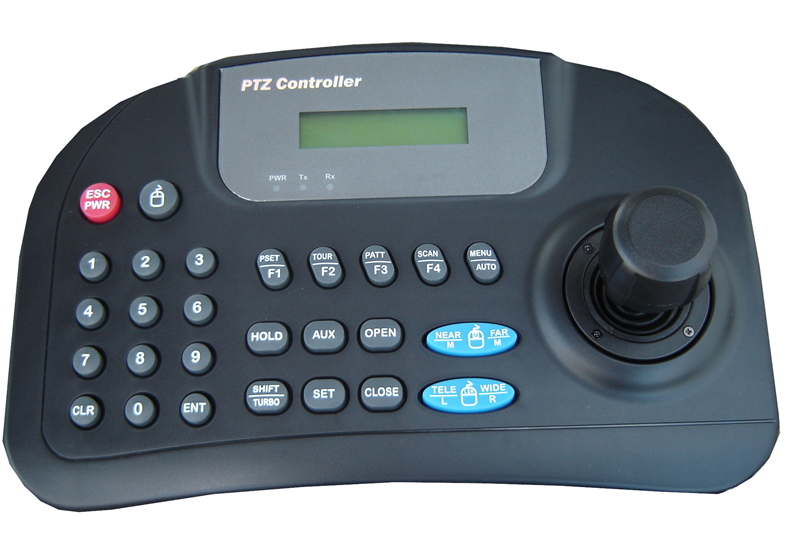
- Joystick: PTZ move
- Joystick wheel: Zoom tele / wide
- AUX: After entering a number key, press the AUX button to turn on the AUX of that number.
- CLR: Clears the alarm on the current screen.
- ENT: Switches to a 1 x 1 / N x N screen.
- FAR: Focus Far
- NEAR: Focus Near
- PSET(F1): After entering a number key, press the PRESET button to call the preset of that number.
- Shift + F1(PSET): Switches between the live/search screen.
- Shift + F2(TOUR): Shows/hides the NVR's PTZ controller.
- Shift + F3(PATT): Enables/disables the auto screen-switching feature.
- Shift + F4(SCAN): Changes the position of the camera information.
- Shift + AUTO(MENU): Sets Focus Auto.
- Shift + AUX: After entering a number key, press Shift + AUX to turn off the AUX of that number.
- TELE: Zooms in the screen (Zoom Tele)
- WIDE: Zooms out the screen (Zoom Wide)
- 0 \~ 9: Entered to select the number before entering a function key.
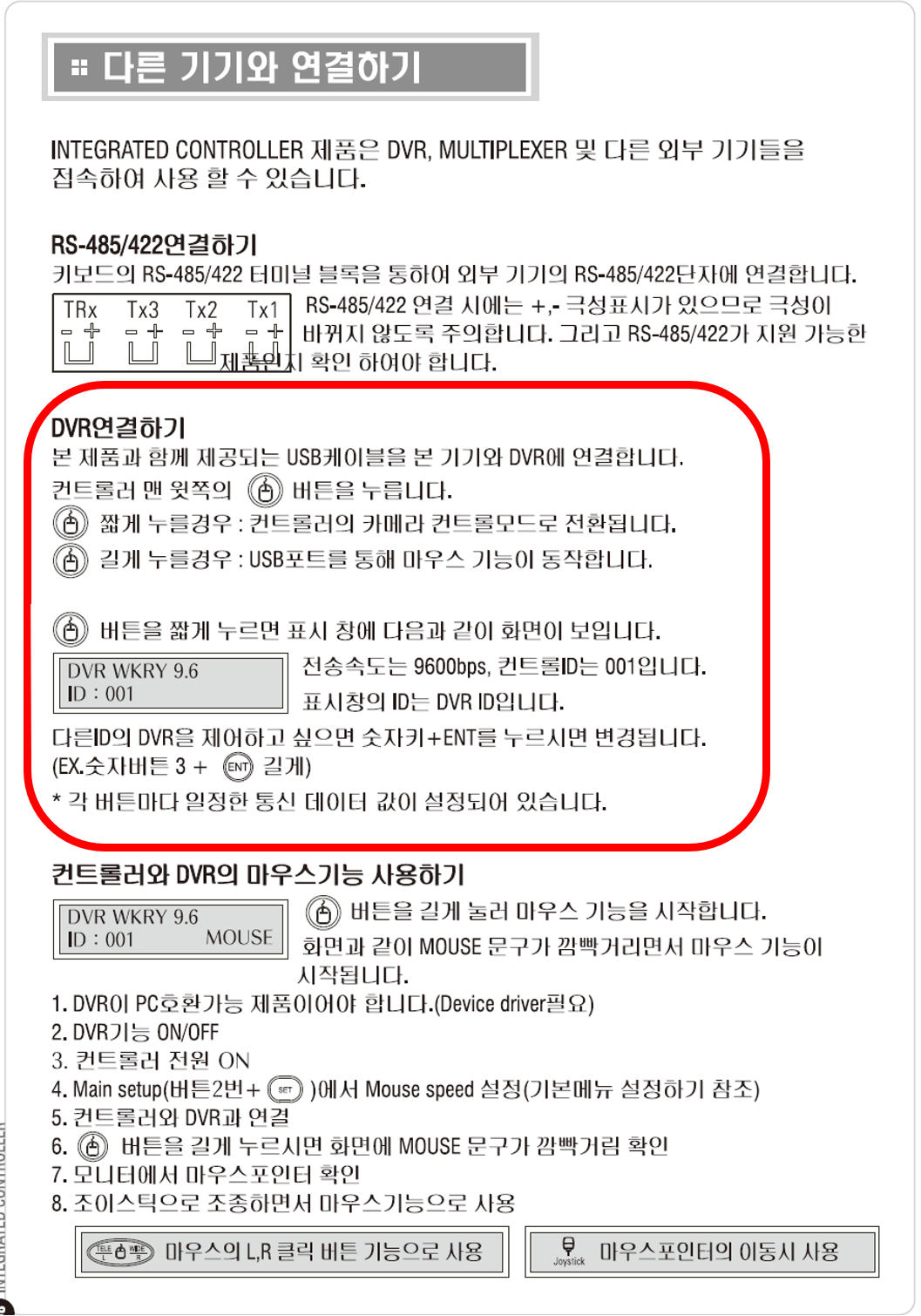
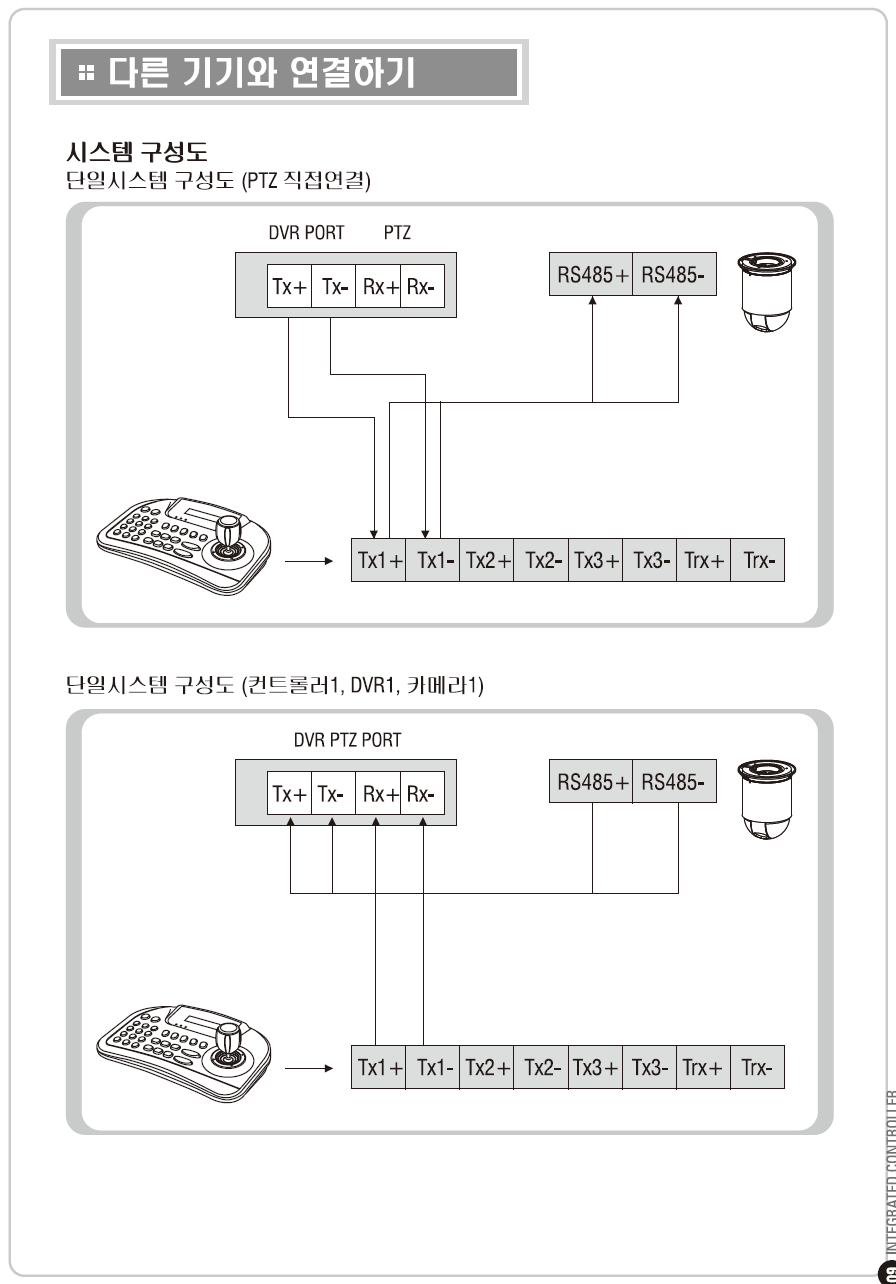
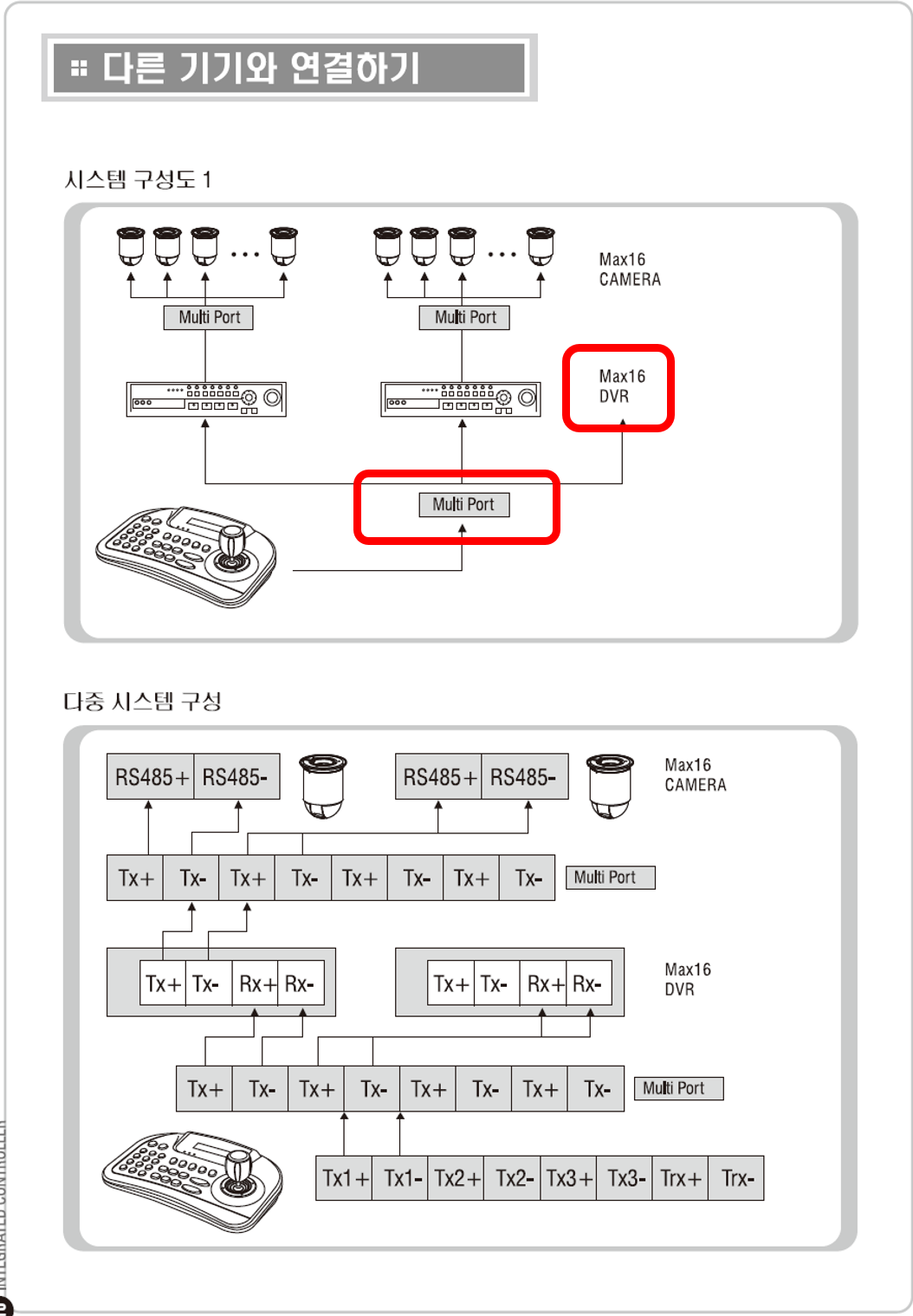
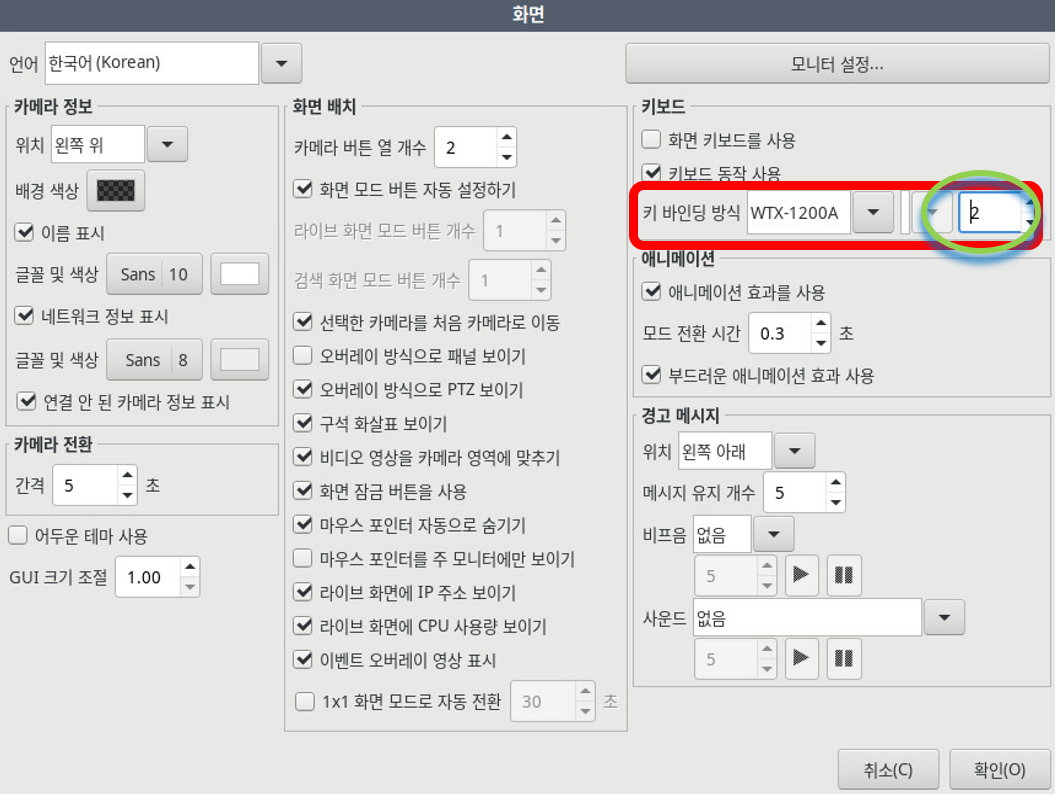
In the "Settings screen", check Use keyboard operation, then check the key-binding method to match the manufacturer. After checking the key-binding method, set the ID (it must be the same as the keyboard controller's ID).
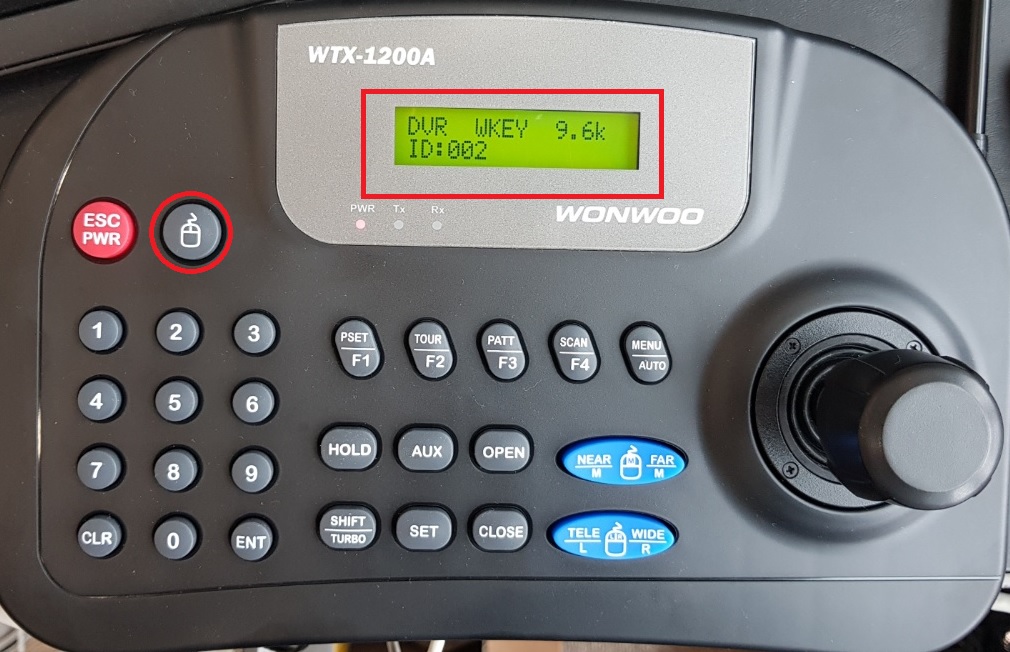
WTX-1200A OSD