AI Box setup and NVR integration
IP change and setup preparation
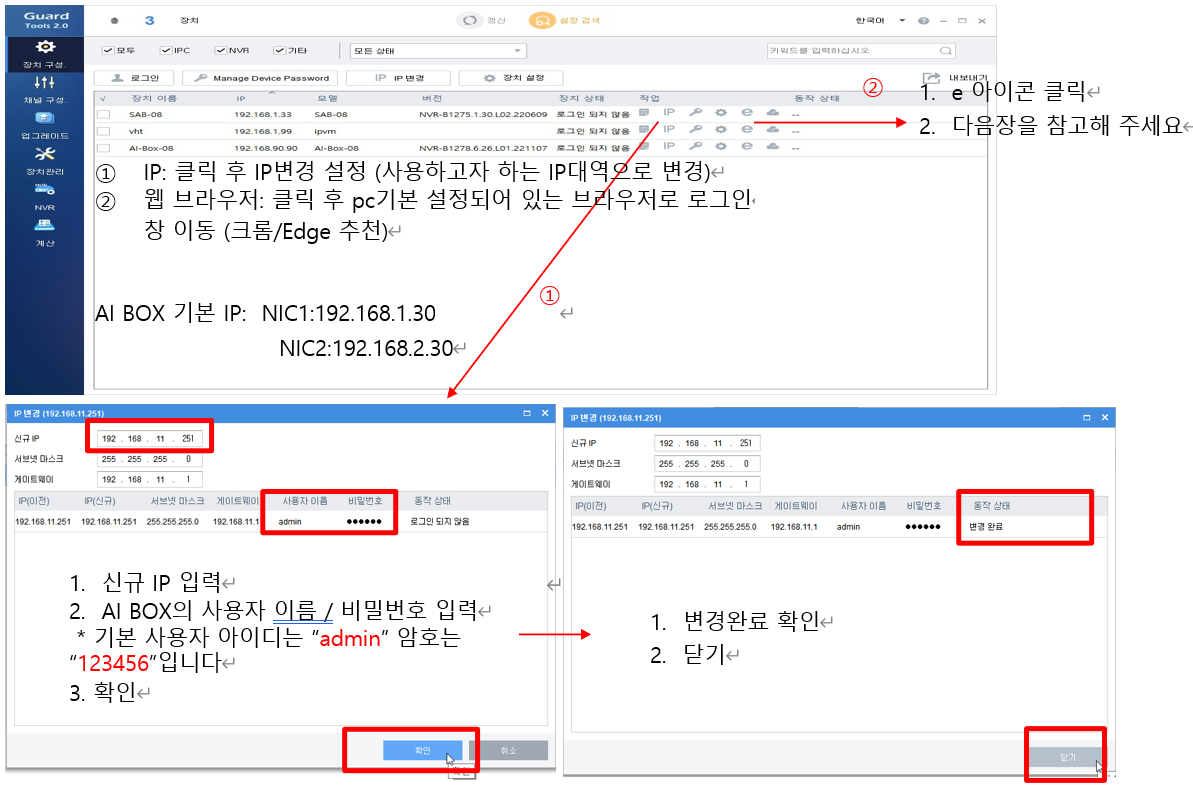
[IP SCAN TOOL]
Web login (connect to http://IP:8899)
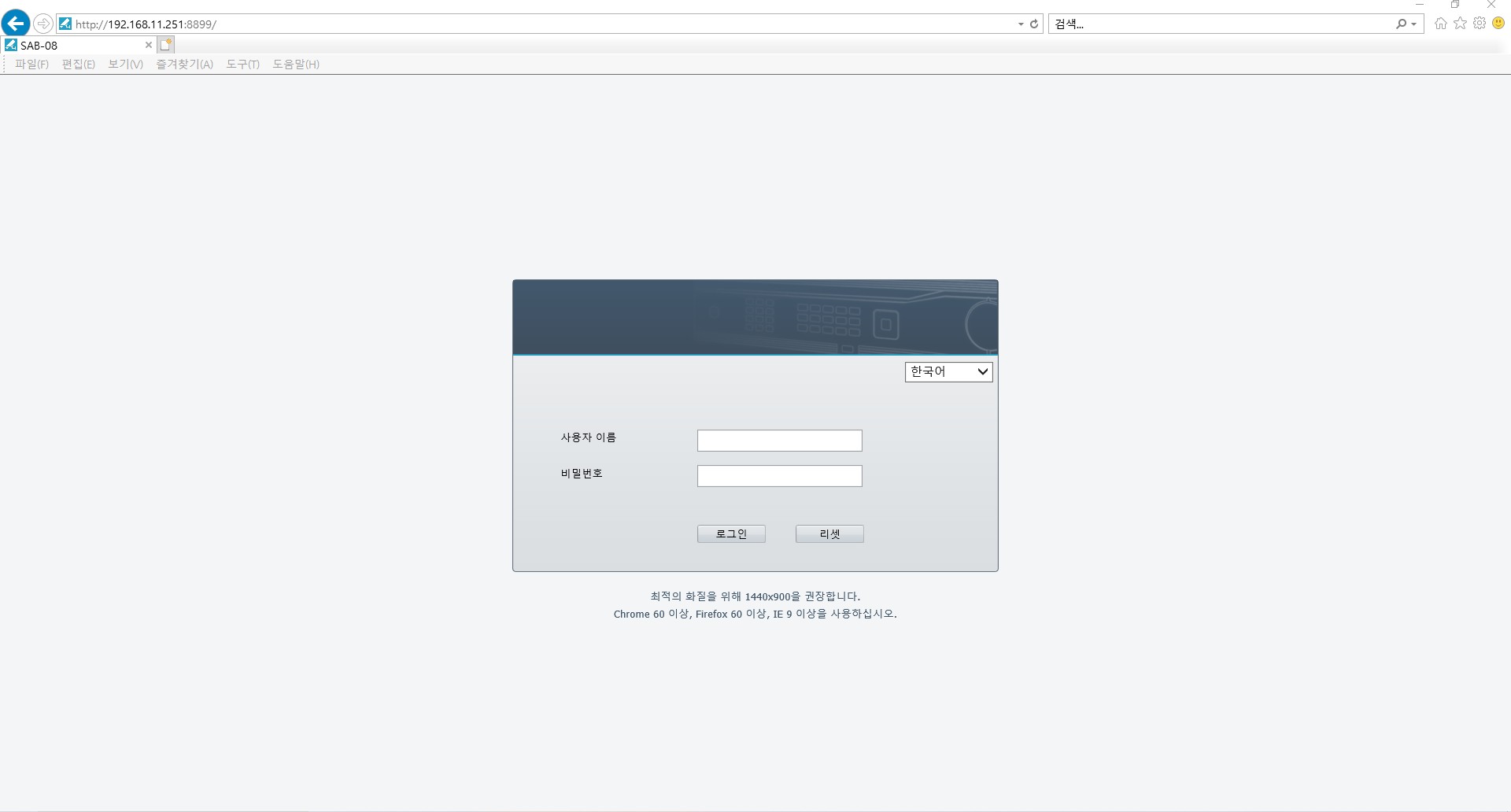
The default user name is 'admin' and the password is '123456'.
On first login, change it to a password that includes special characters (8 characters or more).
It must include letters, numbers, and special characters.
Camera registration > Register the EMSTONE NVR channel via RTSP.
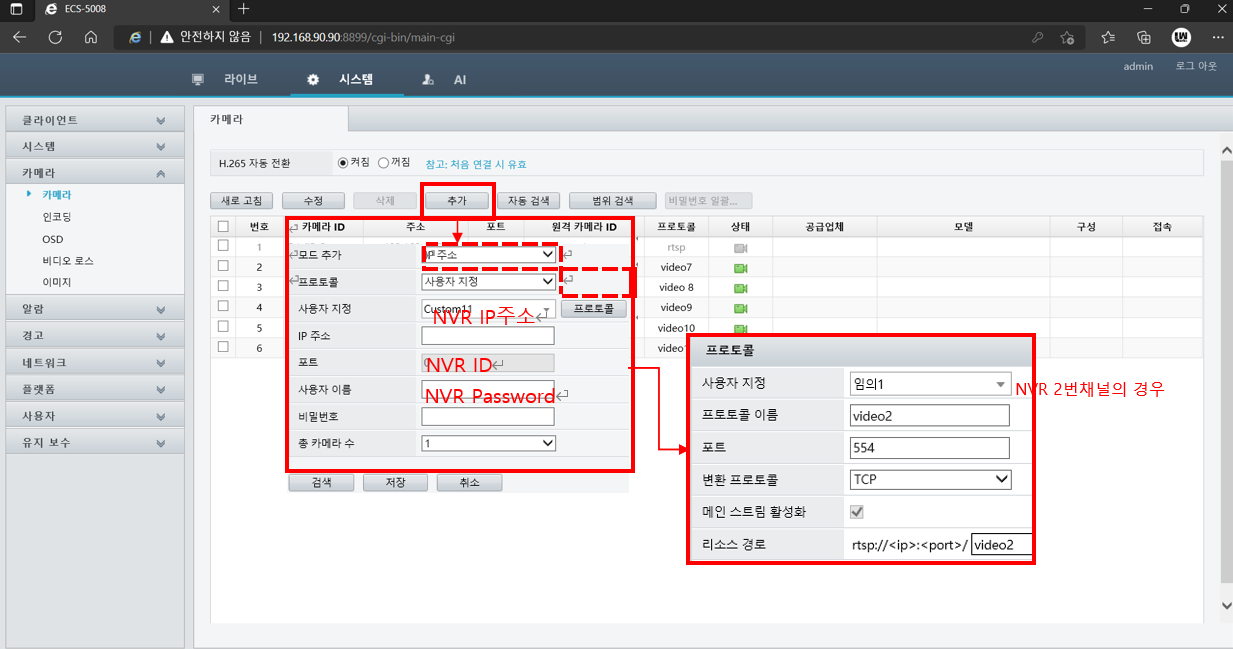
[System -> Camera -> Add camera]
Press Add and change the protocol to Custom.
Click the protocol, change the value corresponding to the channel name to the Video channel number, set the port to 544, and select TCP.
Enter the same user name and password as the NVR.
Confirming camera registration
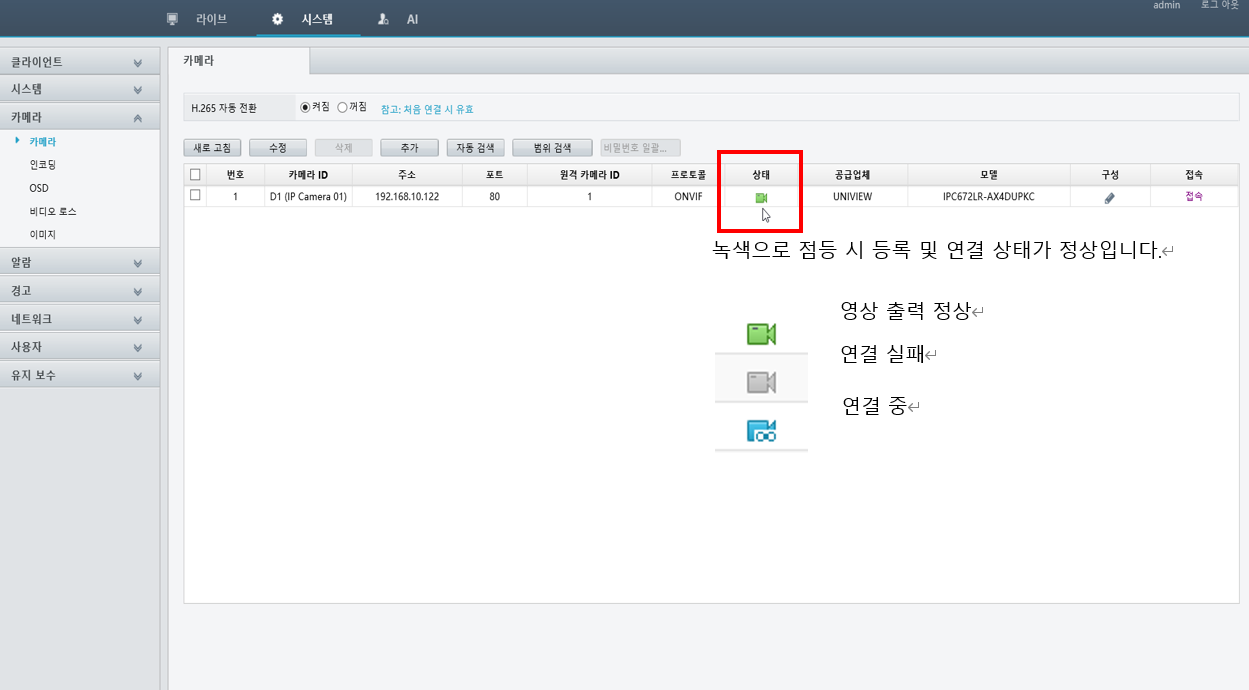
[Registered camera information]
When it lights up green, the registration and connection status is normal.
AI feature settings
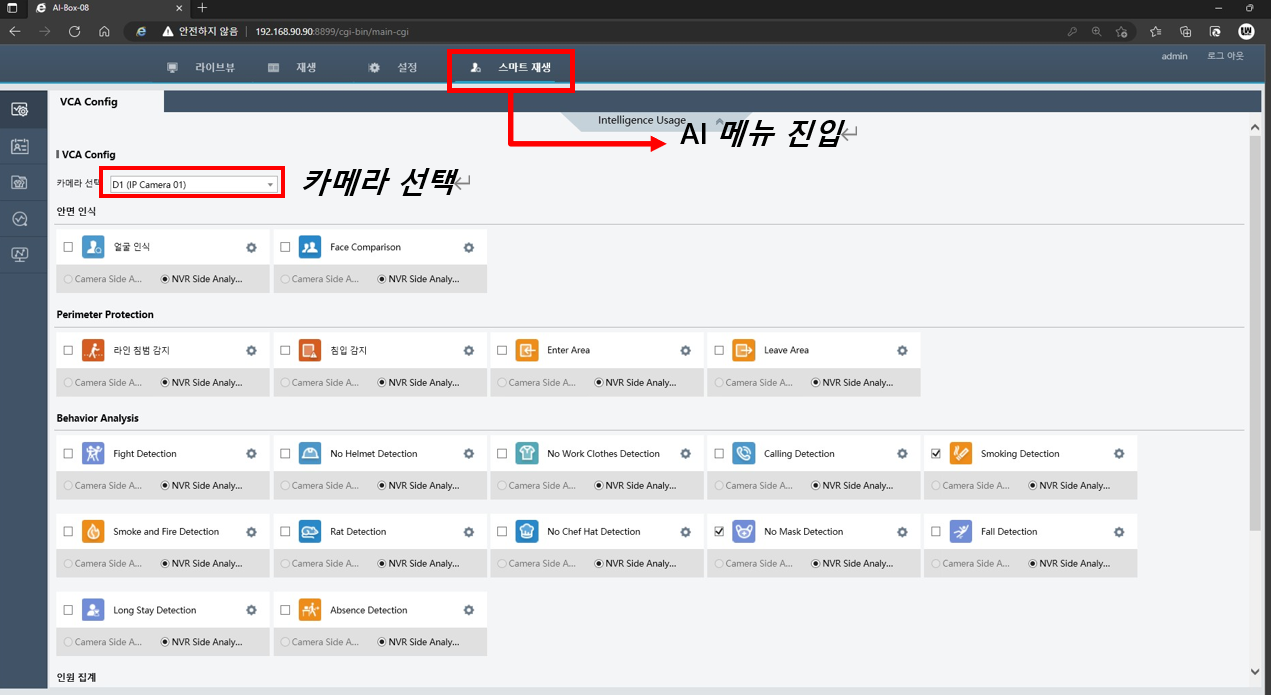
[Smart playback]
Select the camera to use for video analysis.
Check the feature you want to use and click the settings icon.
Line crossing detection
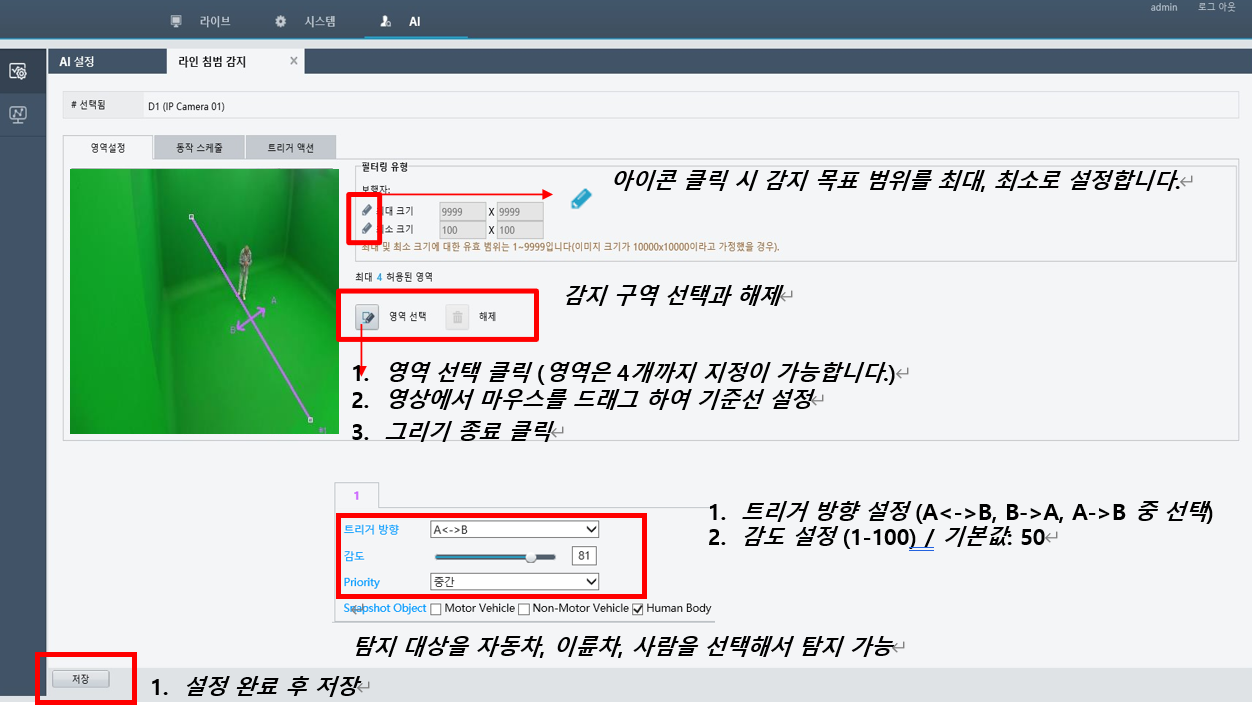
[Line crossing detection]
Intrusion detection
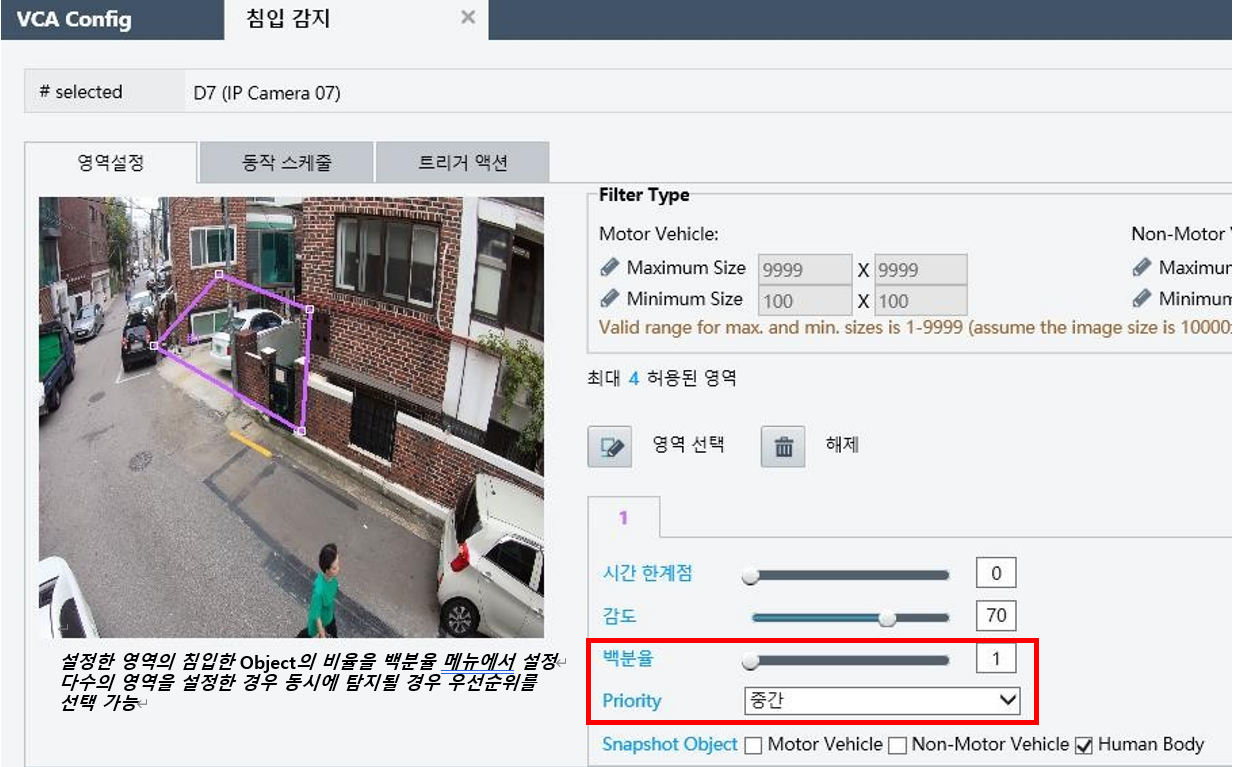
[Intrusion detection]
Region entrance
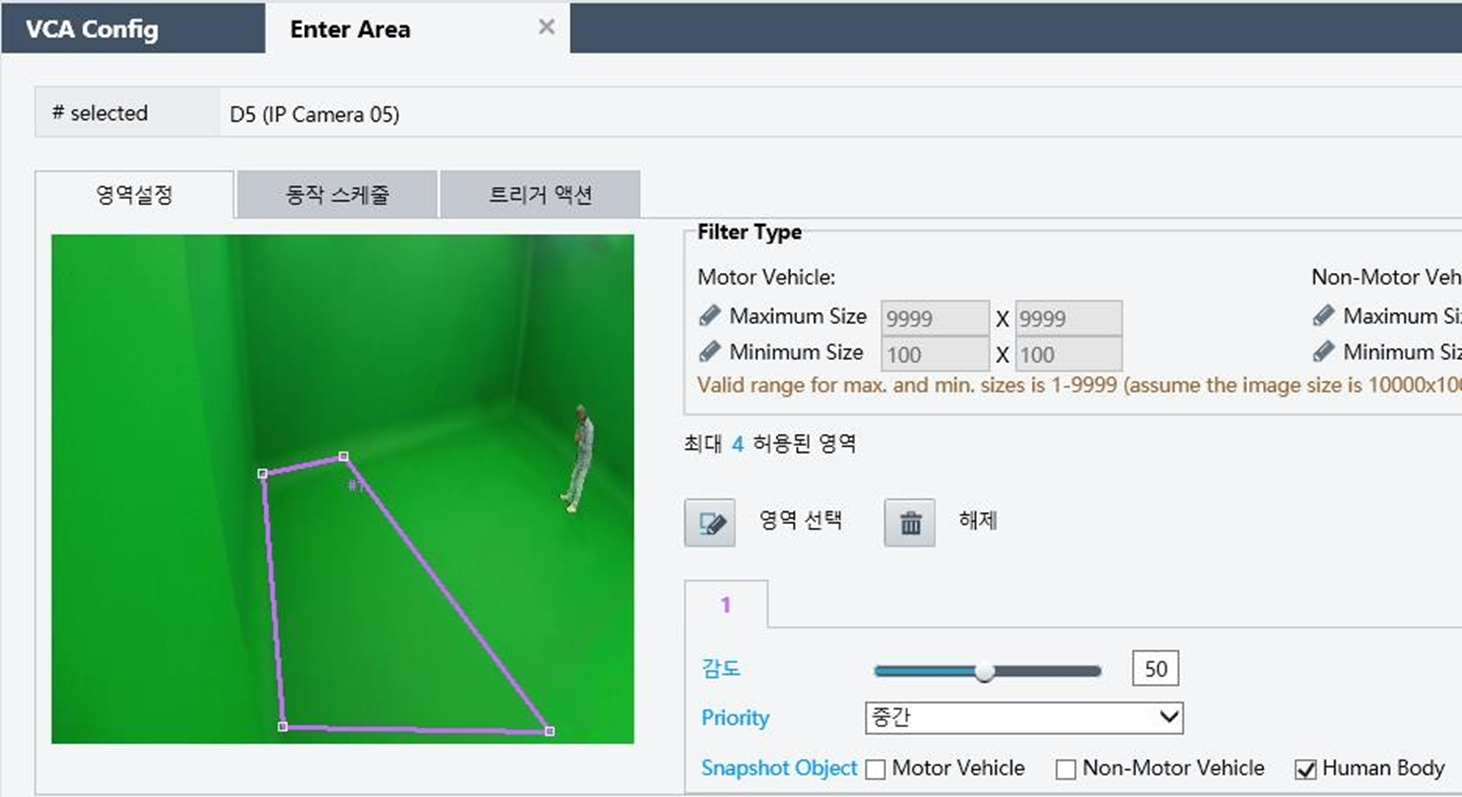
[Region entrance]
Region exit
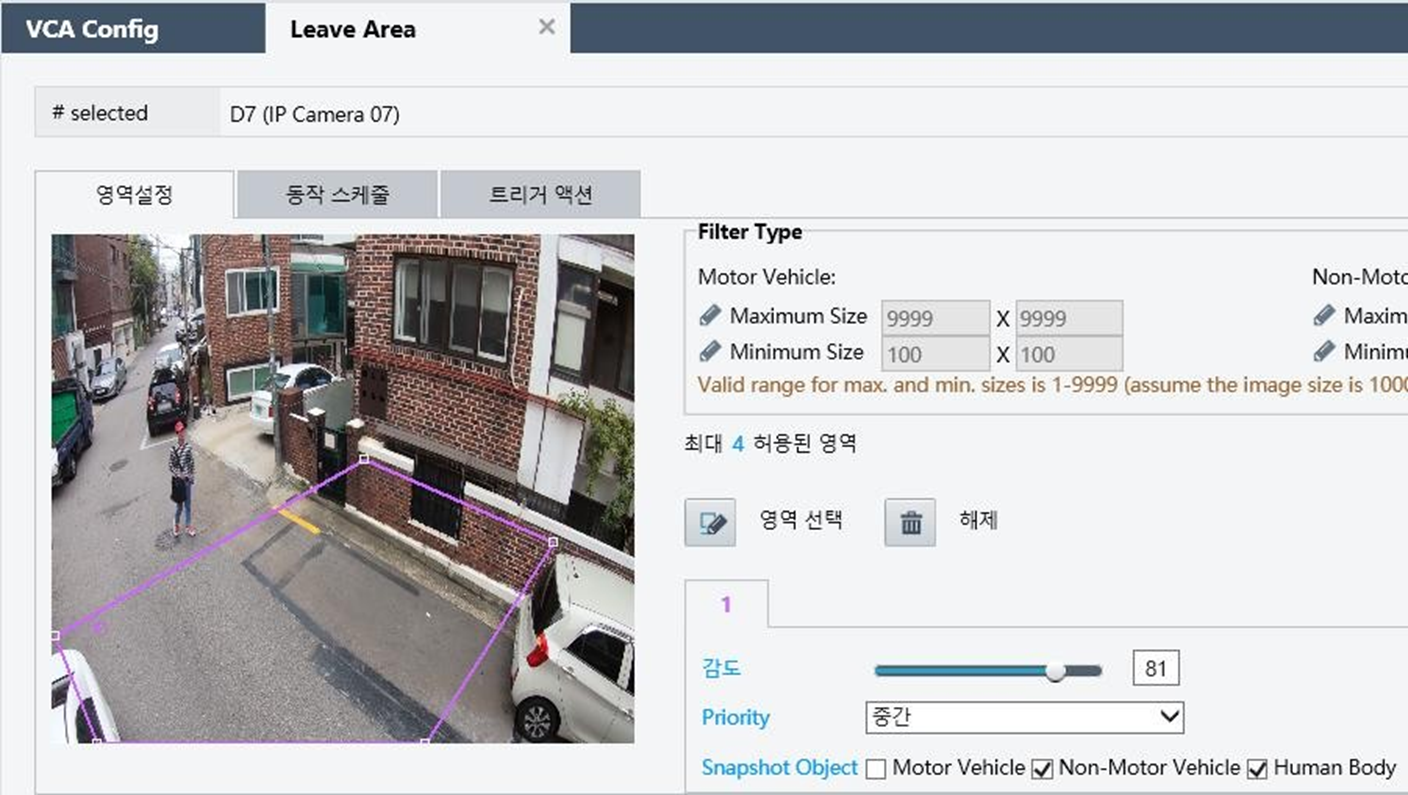
[Region exit]
Smoking
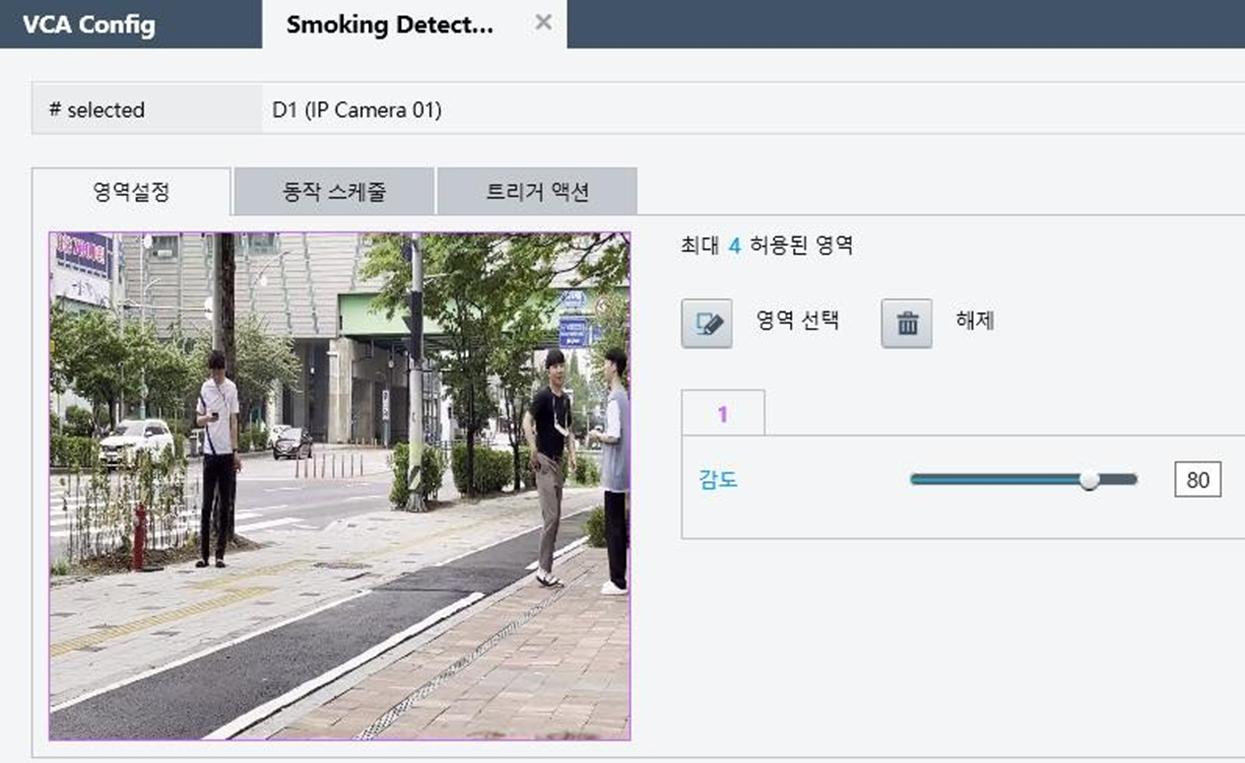
[Smoking]
Fall
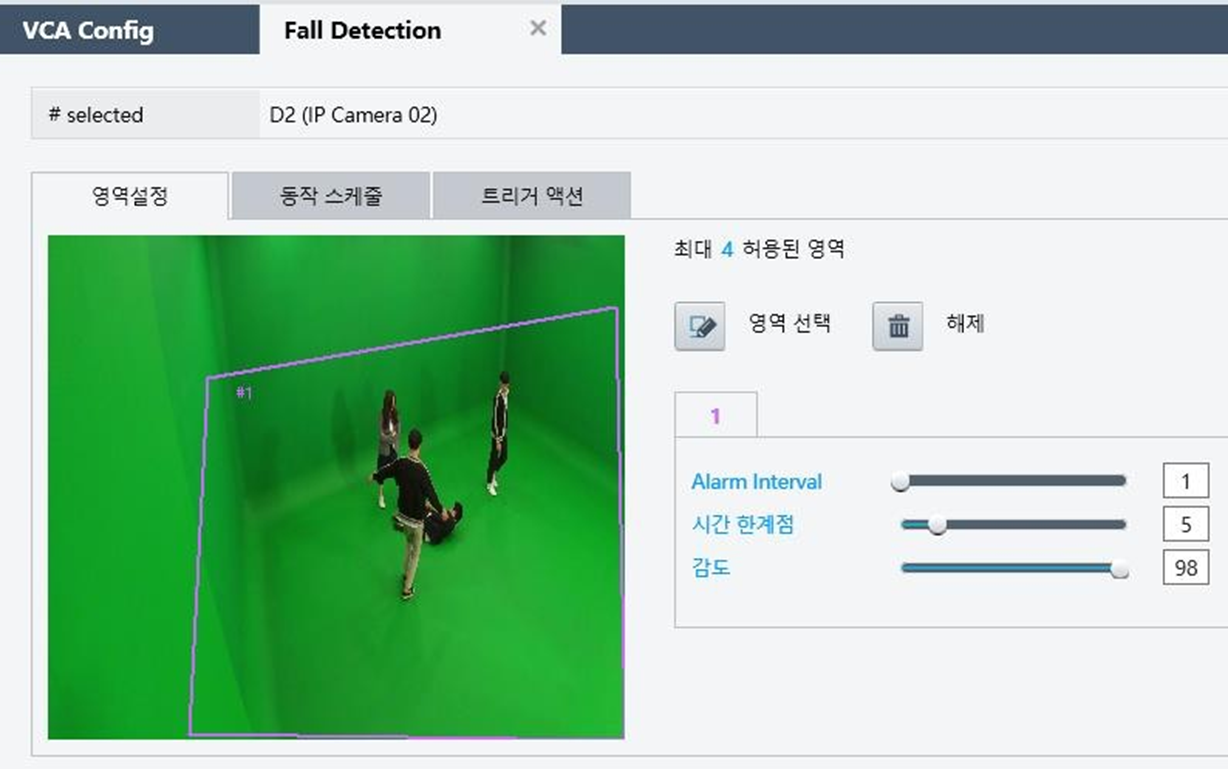
[Fall]
Flame & smoke
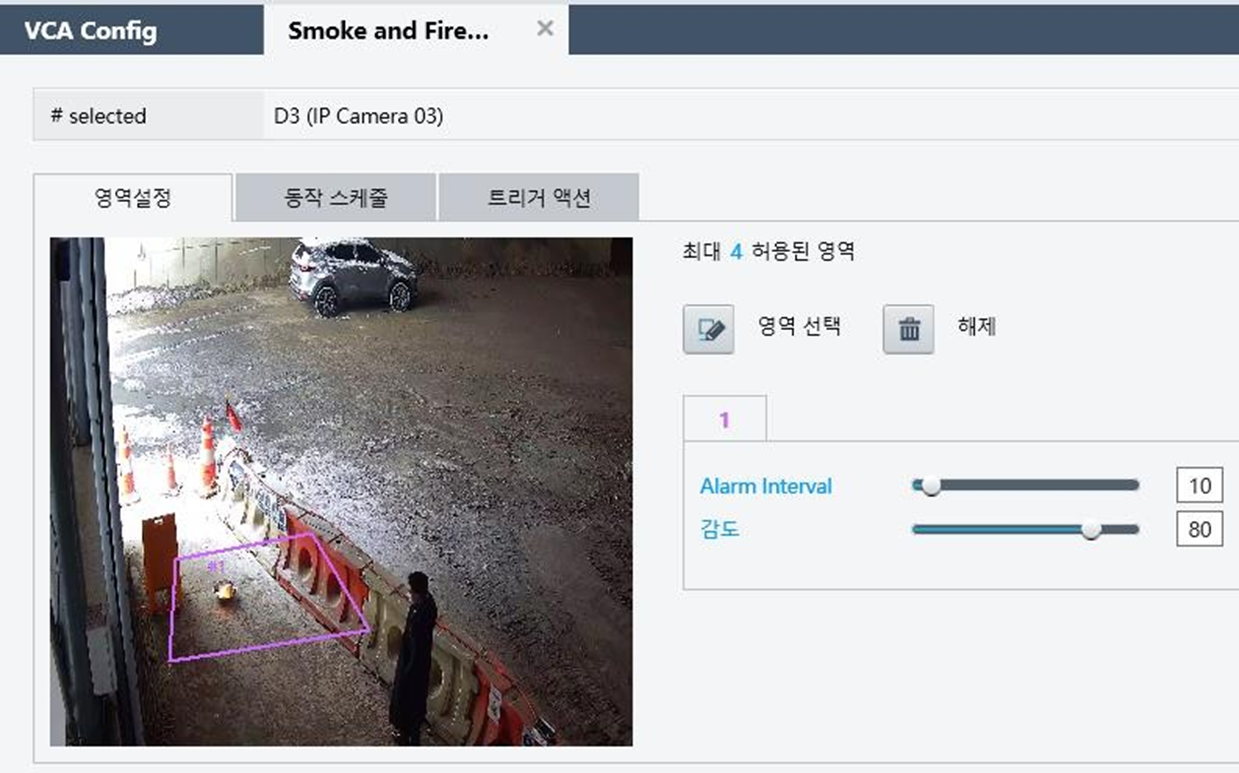
[Flame, smoke]
Mobile phone use
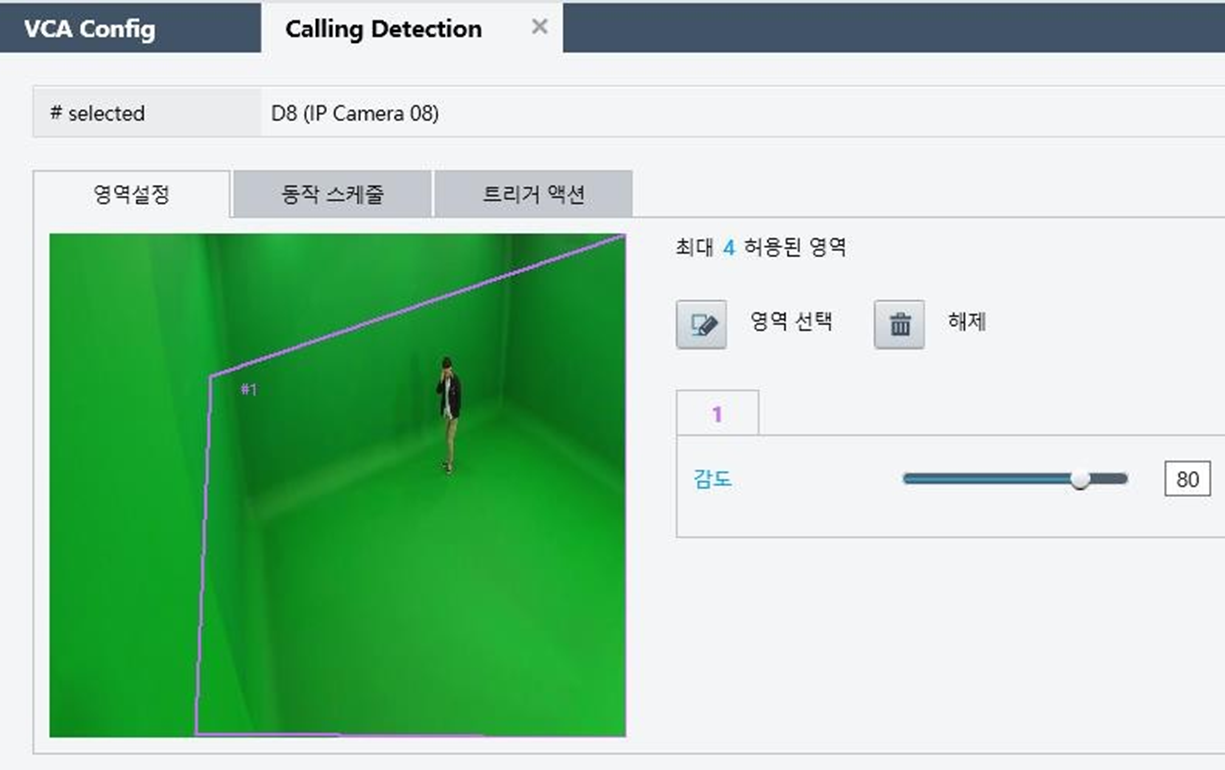
[Mobile phone call]
Maintenance log
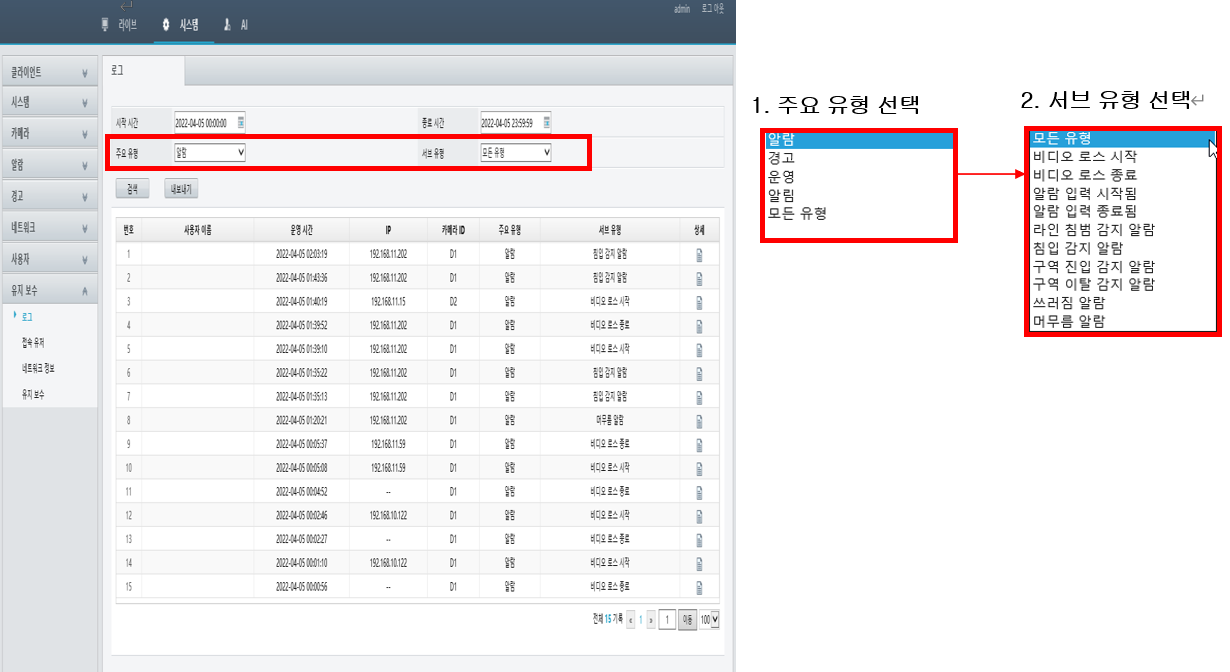
You can search the log by specifying the date and time and subdividing by main type and sub type.
NVR settings 
Menu access
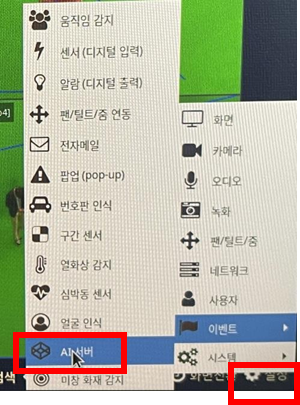
[Settings --> Event --> AI server]
AI BOX connection information 
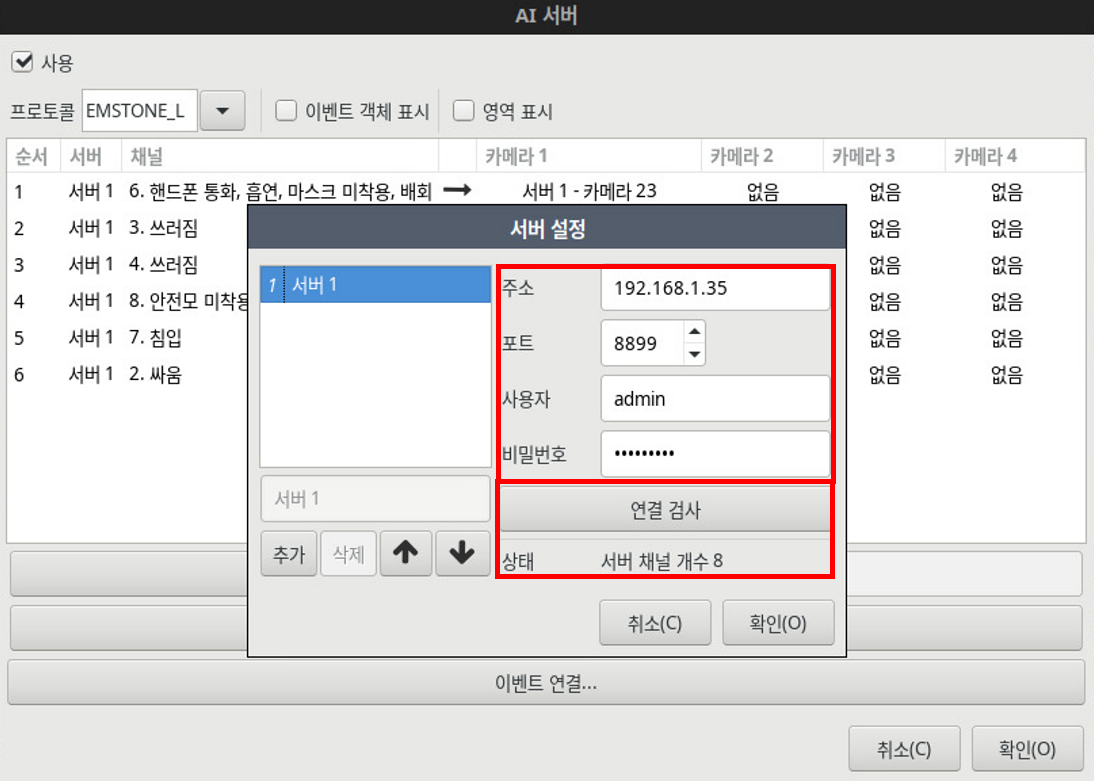
[AI server --> Server settings]
If you have additionally changed or modified the settings of an already-registered AI Box, you must press 'Connection test' to receive the new information.
Camera registration per channel
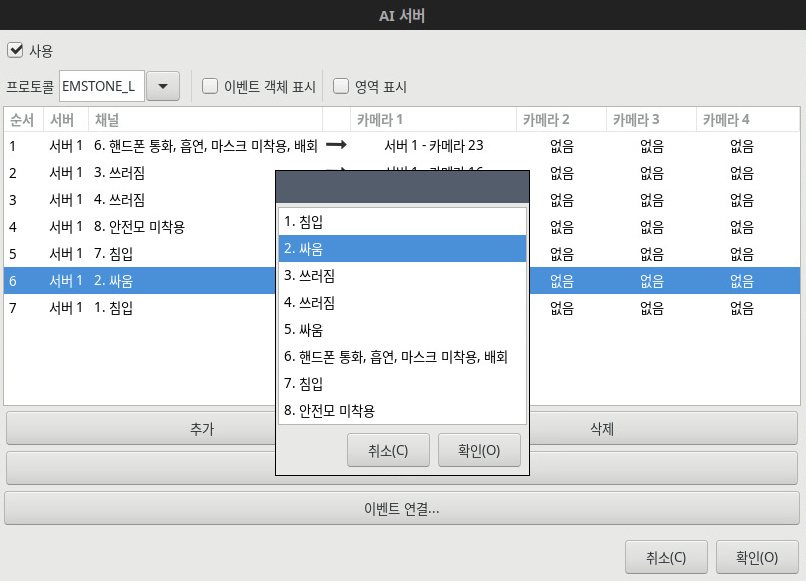
[AI server --> Add]
Reviewing the settings
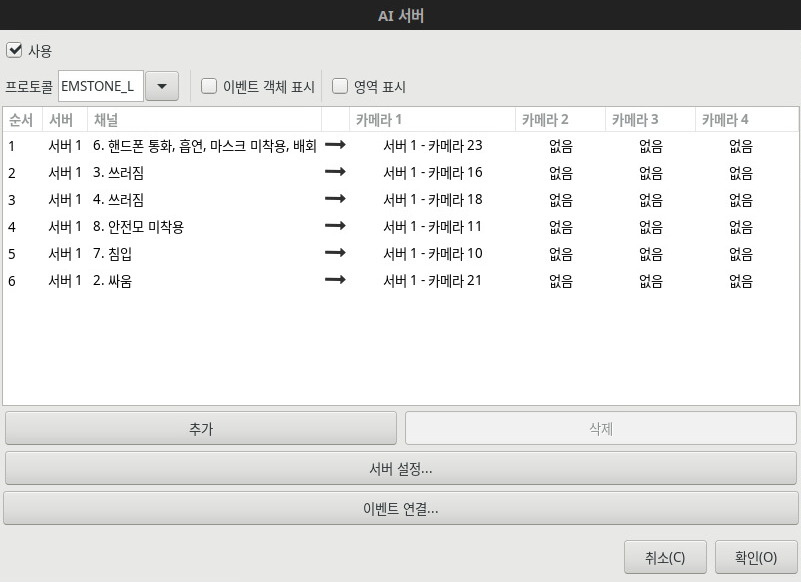
[AI server]