Show groups
Show groups 
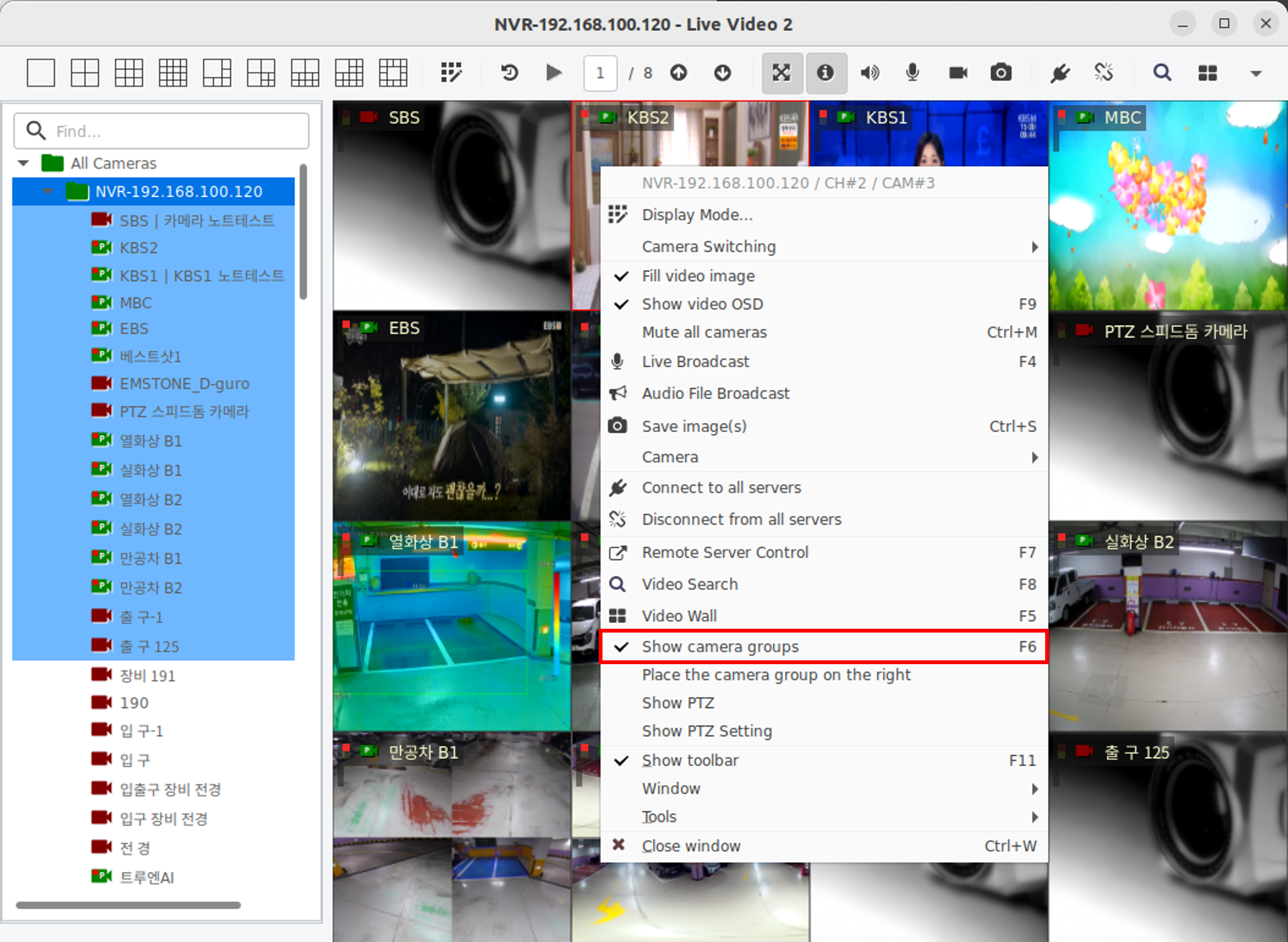
When you right-click on the live video screen and check the display of camera groups, the groups are displayed on the left.
Watch live video as a group 
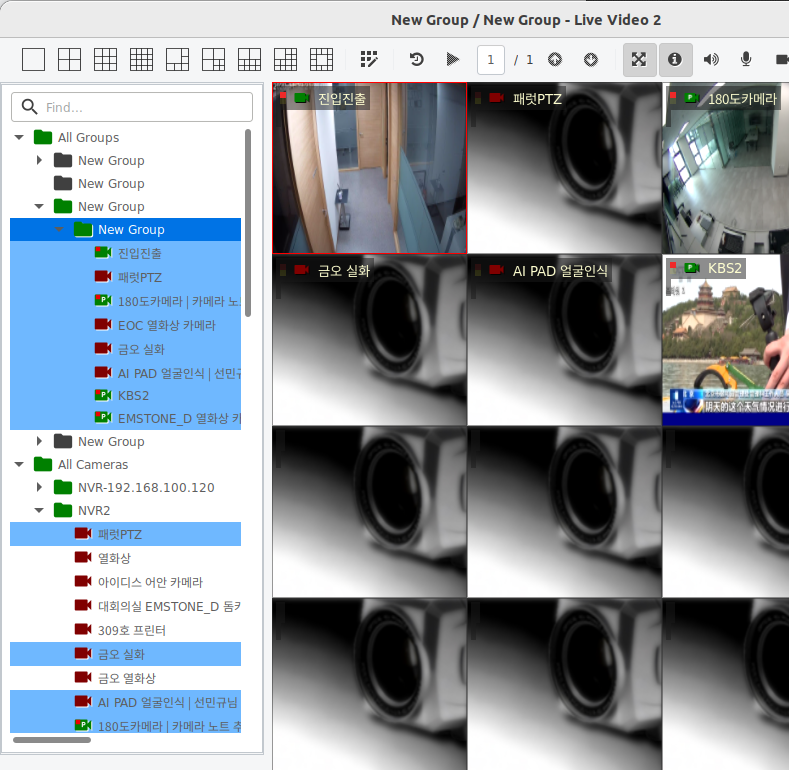
Double-click or drag-and-drop a group or item from a group list to be placed on the live video screen for real-time viewing.
Always display camera groups when you start 
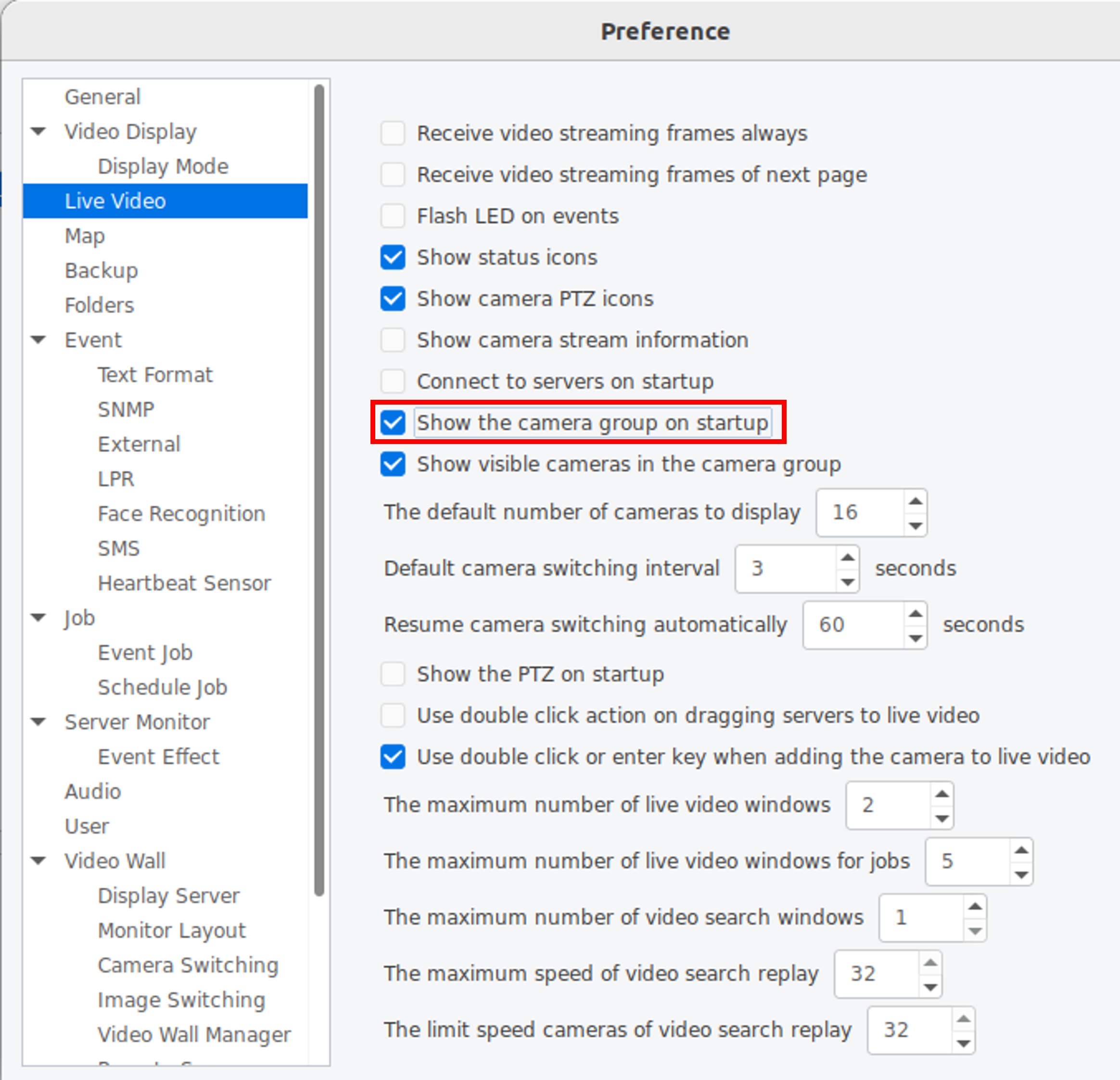
Settings - When you check the camera group for display at the start of a live video, the group is always displayed in the live video window.