Storage capacity guide
What is bitrate?
Bitrate is the amount of data transmitted per second. Network bandwidth and storage capacity can be calculated based on this bitrate.
The higher the bitrate value, the better the image quality, but the larger the amount of data transmitted.
An average bitrate is defined according to the resolution and camera performance, and setting it higher than that will not improve the image quality any further.
Bitrate is expressed in bps (bits per second).
| Unit | bps |
|---|---|
| Kbps | 1,000bps |
| Mbps | 1,000kbps |
| Gbps | 1,000mbps |
A typical FHD 2M-class camera uses a bitrate of 2–4 Mbps, and most support two or more streams (multi-stream).
The main stream is used for recording with high resolution and high bitrate.
The sub stream uses low resolution and low bitrate, and is mainly used for split-screen views or network streams.
The NVR can receive the main stream and sub stream simultaneously to perform recording, live display, and network stream transmission all at once.
The storage capacity can be calculated using the bitrate of the stream used for recording.
How to calculate capacity considering the retention period
Since storage capacity is determined by the bitrate of the recording stream, you can estimate the capacity using a formula.
The bitrate is the amount received per second, and because the received bitrate is not constant, there will be a difference from the actual data capacity.
Refer to the disk capacity calculator on the EMSTONE website.
Channel basis
EMSTONE NVR products support from 4CH up to 128CH, and the reference channel counts are as follows.
| Type | 4CH | 9CH | 16CH | 25CH | 36CH | 64CH | 128CH |
|---|---|---|---|---|---|---|---|
| 1UB2 | ● | ● | ● | ● | |||
| 2UB8 | ● | ● | ● | ● | ● | ||
| 3UB16 | ● | ● | ● | ||||
| 4UB24 | ● | ● | ● |
HDD Bay basis
The reference for the number of HDD-installable bays is as follows.
As of July 30, 2025, the maximum recognizable HDD capacity is 24TB.
| Type | Bays | Max capacity (Bay × capacity) |
|---|---|---|
| 1UB2 | 2 | 48TB |
| 2UB8 | 8 | 192TB |
| 3UB16 | 16 | 384TB |
| 4UB24 | 24 | 576TB |
Choosing the right product
Once you have finished calculating the capacity to store, decide on the capacity of the HDDs to use and check the number required.
For example, recording 64 cameras for 30 days is calculated as 79.11TB. Allowing about 15% headroom and setting the estimated capacity to 91TB, you can determine the disk capacity and count as in the table below.
| HDD capacity | Qty | Total |
|---|---|---|
| 10TB | 10 | 100TB |
| 12TB | 8 | 96TB |
| 16TB | 6 | 96TB |
| 20TB | 5 | 100TB |
| 24TB | 4 | 96TB |
Since the product must be selected according to the number of HDDs, in the criteria above you can use a 64CH 2UB8 product combined with HDDs of 12TB or larger.
Using DAS Storage
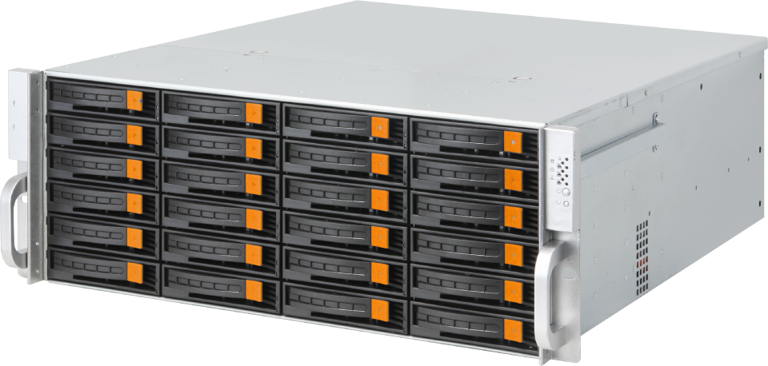
When the NVR does not have enough HDD bays, you can connect and use DAS Storage (2U class or higher).
DAS Storage must be used with either a RAID or Non-RAID configuration, and up to 2 units can be connected per NVR.
It is used when the data to be recorded is large relative to the number of channels.
The NVR and DAS are connected directly with a dedicated DAS DAC (Direct Attach Cable), and the DAS is used connected to the NVR without any separate software.
Using SAN Storage
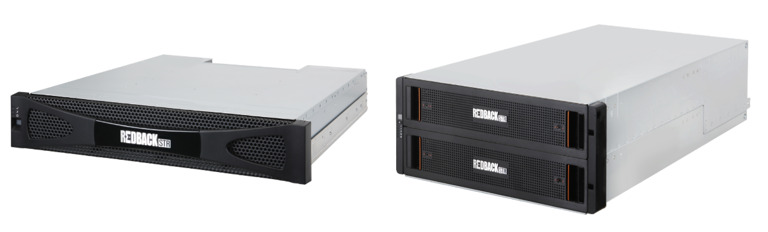
SAN Storage is a product in which the storage itself runs a server program, allowing disk management, volume configuration, and so on.
The NVR (VMS) and SAN Storage are connected by fiber-optic cable through an HBA (Host Bus Adapter) adapter.
Unlike DAS, which must be connected directly to the NVR with up to 2 units, SAN Storage can be configured with multiple storage units and multiple NVRs (VMS) using a SAN Switch.
SAN Storage cannot use the Non-RAID method. Also, since dedicated SAN Storage HDD disks are used, it is important to install spare disks and configure automatic recovery in case a disk problem occurs.
The fiber-optic connection and the SAN Switch are explained above; this is different from a Switch used for networking, and a SAN configuration can only be connected between SANs.
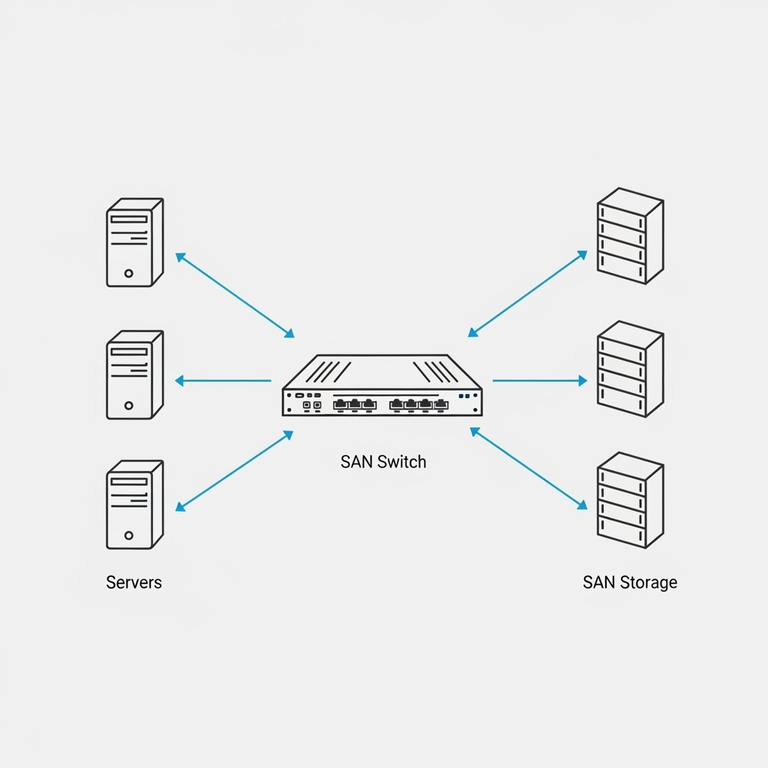
SAN Storage can decide which device its internal volumes are allocated to, and what distinguishes them is the WWN (World Wide Name).
A WWN plays a role similar to an IP address in a storage environment. Through the WWN, the server and storage devices recognize and communicate with each other. For example, when a server connects to a specific storage device to read or write data, it uses the WWN to find that device exactly.
An HBA card has FC (Fibre Channel) ports; each port has a unique WWN, and once the storage allocates a volume to a specific WWN, the volume becomes usable.
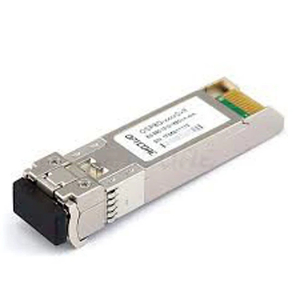
The optical GBIC modules used in a SAN configuration must be SAN-dedicated 8Gbps or 16Gbps GBICs, and the optical cable should be OM3 or higher multimode.
Additionally, EMSTONE's VMS and the EM-SAN12B and EM-SAN84B SAN Storage can be connected 1:1 directly without a SAN Switch.
In a SAN configuration, think of the optical GBIC module as an adapter that connects the HBA card and the optical cable.
It looks the same as the optical GBIC module used for network communication in an optical network, but its type and performance are different.
What is RAID?
It is a technology that bundles multiple HDD disks so they can be used like a single disk.
There are various RAID methods such as 0–6, but RAID5 and RAID6 are the most commonly used.
RAID5 is configured with at least 3 disks, and the data is safe even if one of the disks fails.
RAID6 is configured with at least 4 disks, and the data is safe even if two of the disks fail.
The disk capacity of RAID5 is calculated as (N-1), and that of RAID6 as (N-2).
Configuring RAID5 and RAID6 with four 10TB disks results in the following.
| Configuration | Non RAID | RAID5 | RAID6 |
|---|---|---|---|
| 10TB 4EA | 40TB | 30TB | 20TB |
| Note | No disk protection | 1 disk protected | 2 disks protected |
For RAID5 and 6, if a disk in a volume has a problem, replacing the faulty disk keeps the volume intact; but if more disks fail than the number of protected disks, the volume becomes faulty due to the nature of RAID and data can no longer be written.
Therefore, when using a RAID configuration, a problem with a volume can make all the data on that volume unusable, so you must choose Non-RAID or RAID according to the on-site situation, and it is recommended to configure RAID volumes so that there are no more than 10 disks per volume.
If the NVR has only one disk volume and that volume has a problem, recording is no longer possible, so creating multiple volumes is one approach.
In a Non-RAID configuration, only the data on the failed disk becomes unusable.
Volume free space and disk type
Free space is a very important factor for disk performance.
In general, it is recommended to keep 15%–20% of the disk capacity as free space.
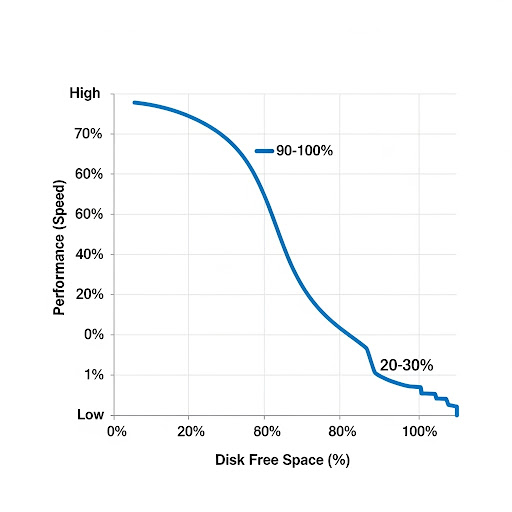
The default disk-usage limit of currently shipped NVR/VMS is 95%, and for simultaneous recording of 64CH or more, the use of enterprise-grade HDD disks is recommended.
Because the NVR continuously writes to the disk and always holds recording data, fast writing/reading is important, but stable performance is also required.
For HDD disks used in the NVR, use surveillance- or enterprise-grade HDDs; in particular, for a RAID configuration you must use enterprise-grade HDDs.
For SAN Storage, it is recommended to set the disk-usage limit to 90% or lower if possible.