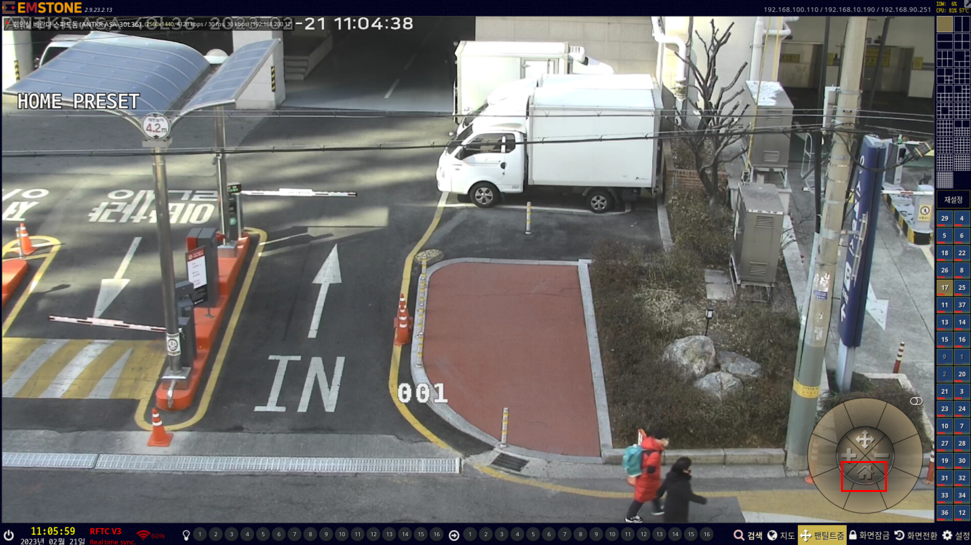
Automatically move to home position by setting a HOME PRESET
Automatically move to the home position by setting a HOME PRESET on the NVR PTZ CAMERA
Enable automatic return to the home position (Settings -> Pan/Tilt/Zoom)
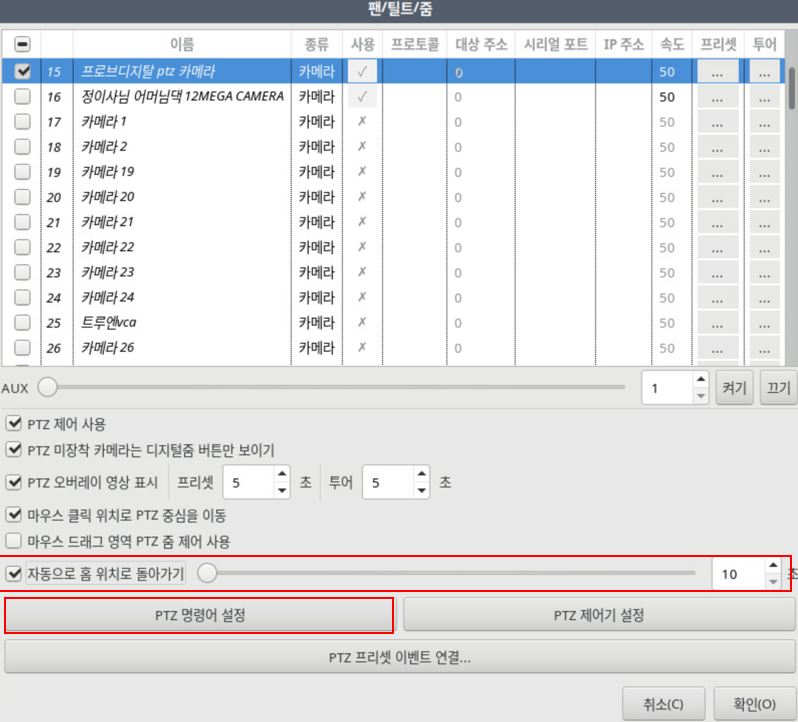
PTZ command settings (Settings -> Pan/Tilt/Zoom -> PTZ command settings)
After selecting the camera, set the "Go to home" item to the PRESET number you use as the home preset.
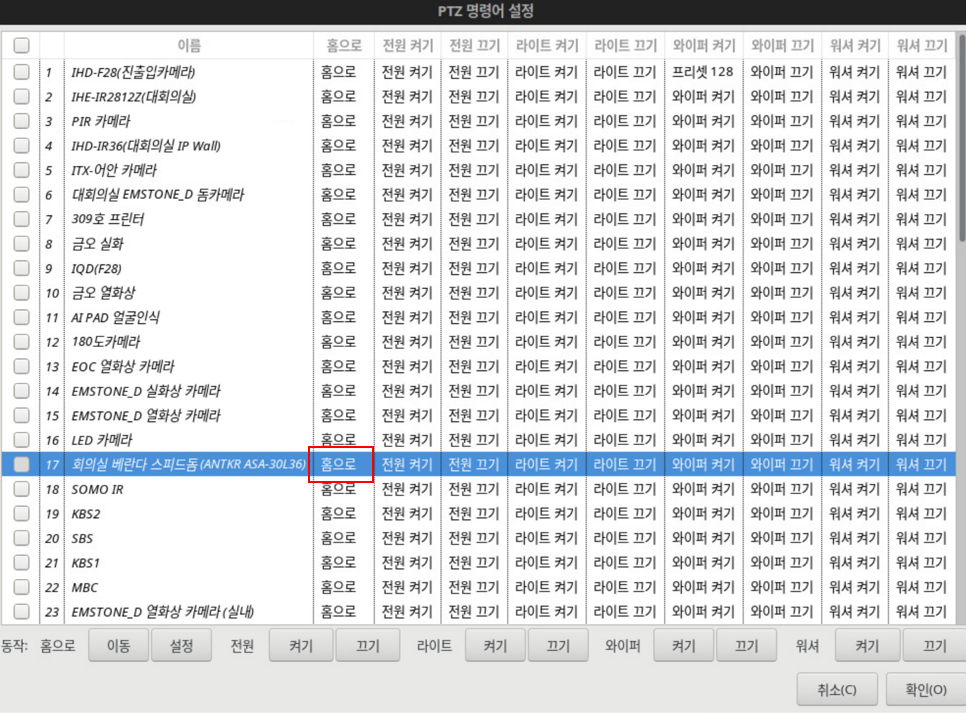
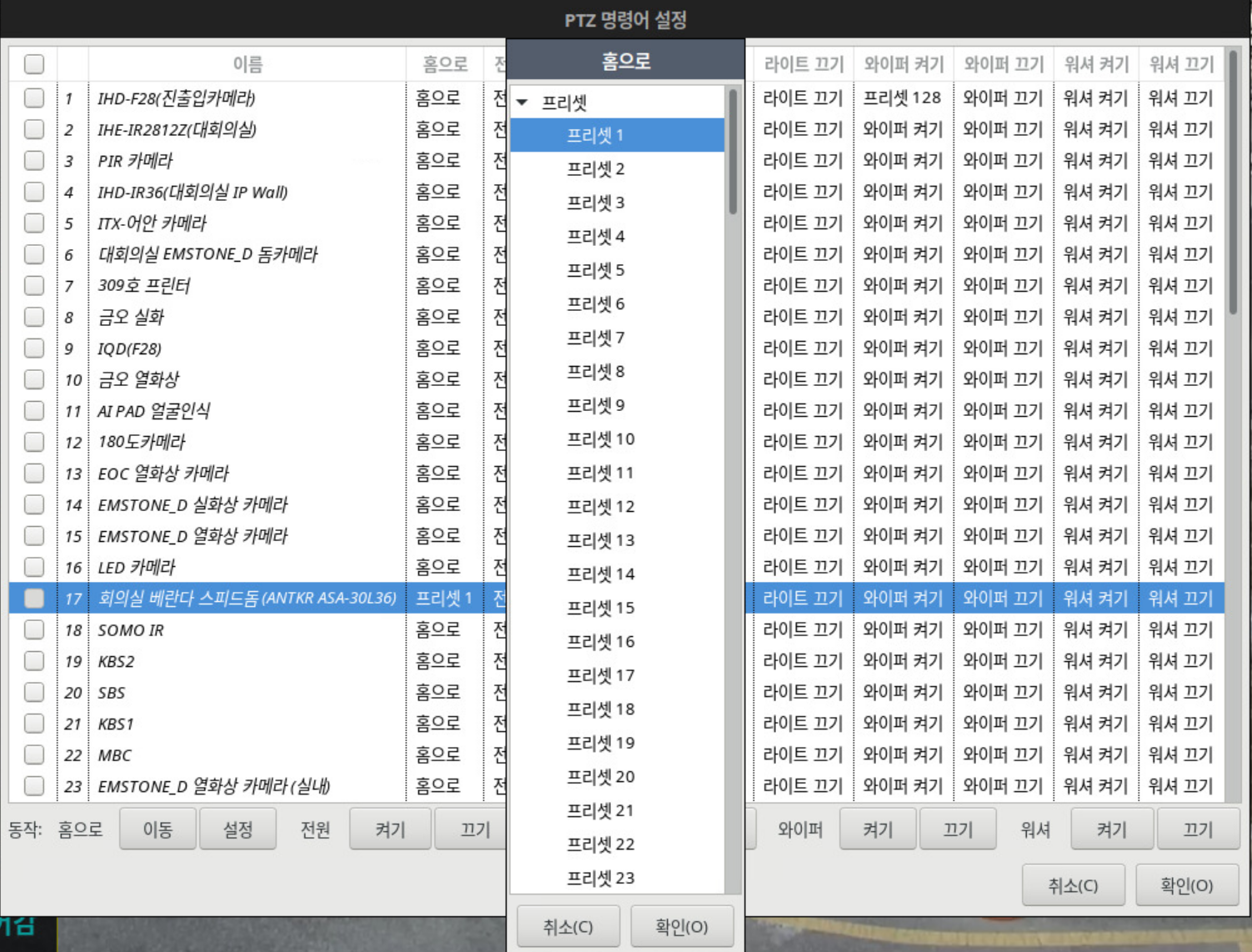
If there is no PTZ control on the NVR device and no movement of the device, it automatically moves to the designated preset.
Clicking the home icon in the Pan/Tilt/Zoom item moves to the home preset.