Mitsubishi PLC Integration
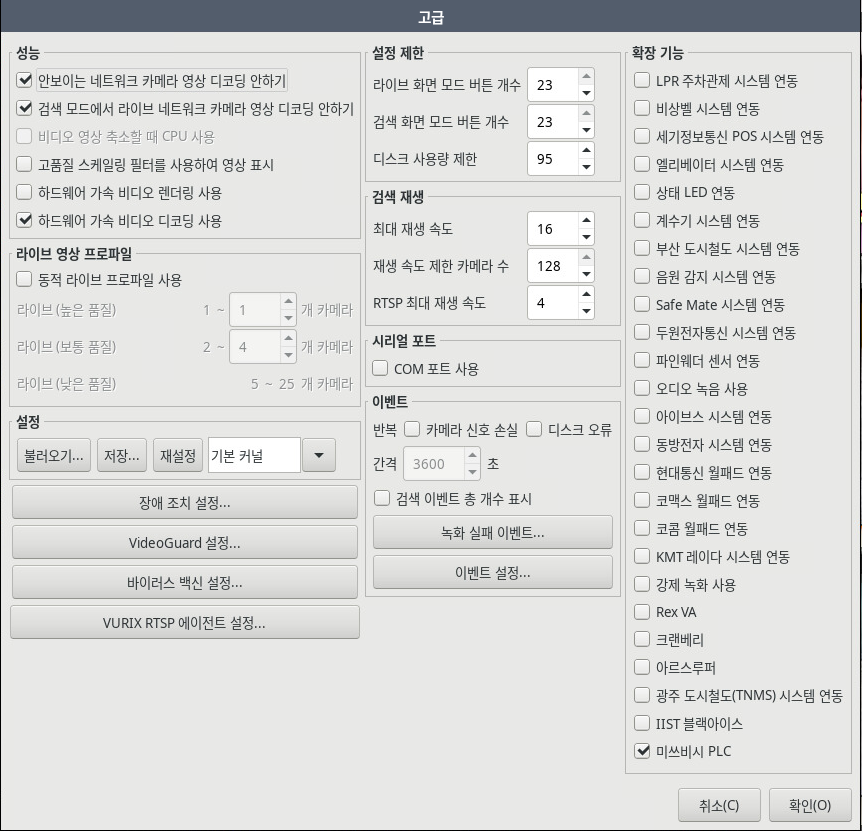
Check 'Mitsubishi PLC' under [Settings] - [System] - [Advanced] - [Extended Functions].
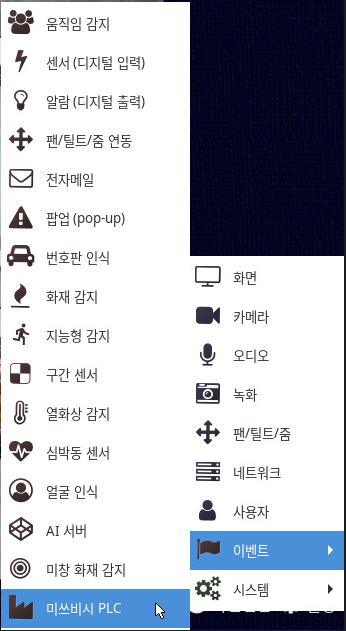
You can add a node in the [Settings] - [Event] - [Mitsubishi PLC] menu.
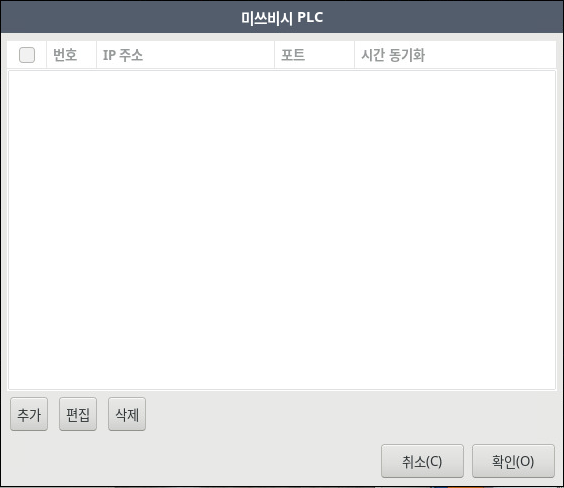
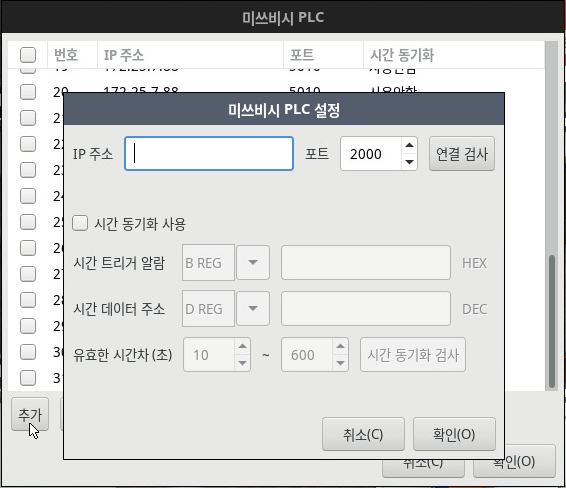
Check the PLC's IP address and port to perform a connection test.
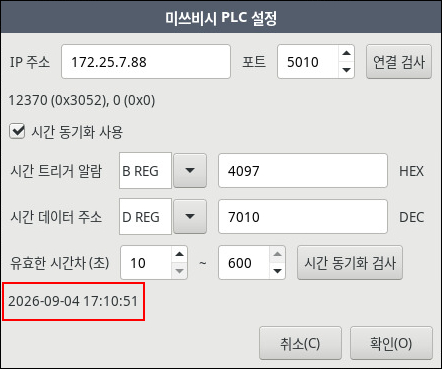
Once the connection is successfully established and time synchronization occurs, the time retrieved from the PLC is displayed.
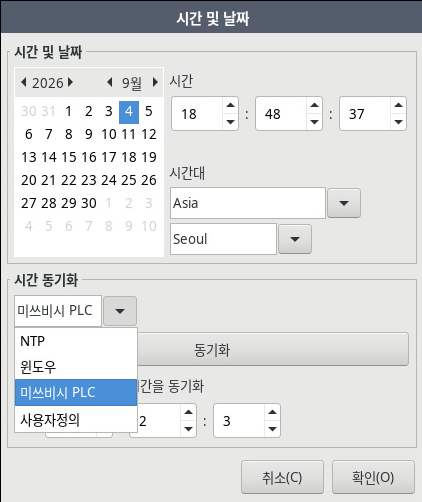
Select "Mitsubishi PLC" as the time synchronization protocol under [Settings] - [System] - [Time and Date].
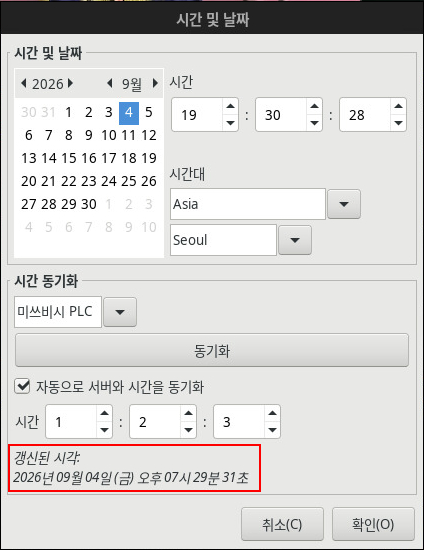
The updated time is displayed upon successful synchronization.