Recording-day limit
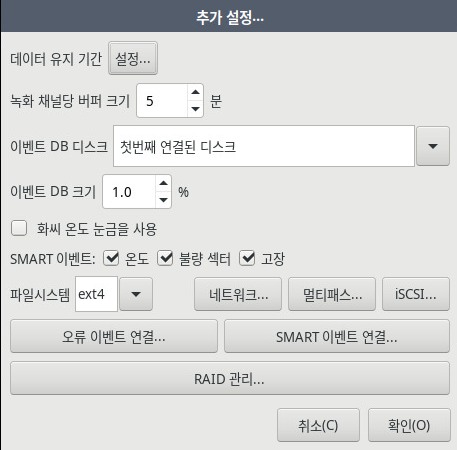
You can set the data retention period under Settings - System - Disk - Additional settings.
Press the data retention "Settings" button.
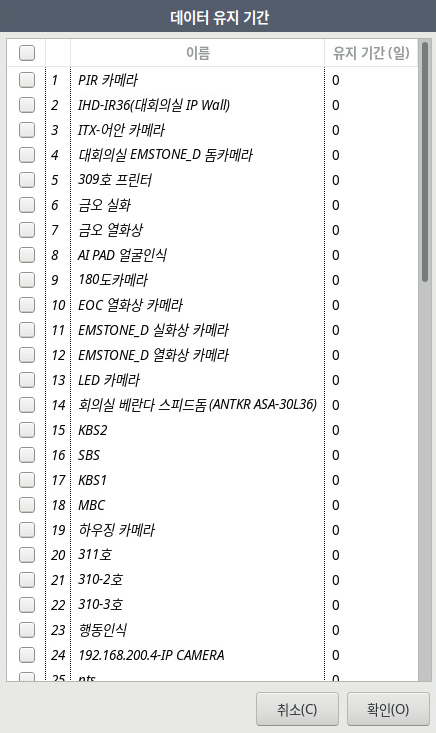
You can set the data retention period for each channel.
Per-channel data retention period setting is supported from firmware version 2.9.24.9.9.
For versions earlier than 2.9.24.9.9, you can set the retention period for all channels.
Set the desired data retention period for the channel as a number of days.
For example, if you enter 30, recorded data is kept for only 30 days based on the NVR's time, and data older than 30 days is deleted.
Setting it to 0 means no limit. (Initial value 0)
NVR+ / VMS can set different data retention periods for each server.
If storage space runs low, less is recorded than the retention period you set.