AIBIS AI - simple setup manual
AIBIS AI - simple setup manual
For AI event areas and settings, refer to the manual below.
NVR AI server event settings
Select Settings -> Event -> AI server.
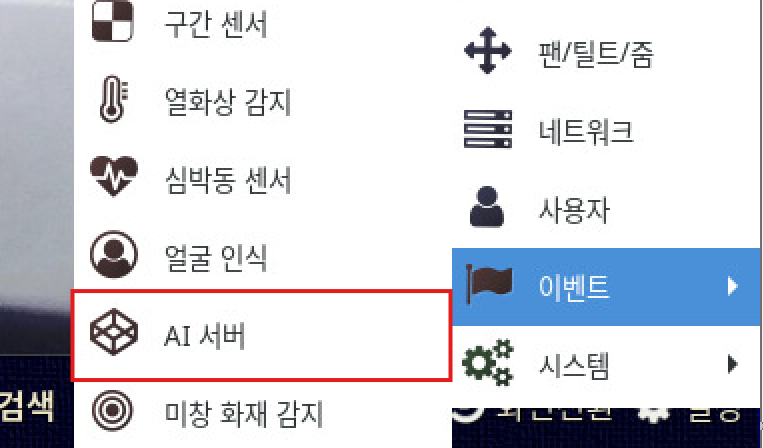
Select 'AIBIS' among the AI server types at the top left.
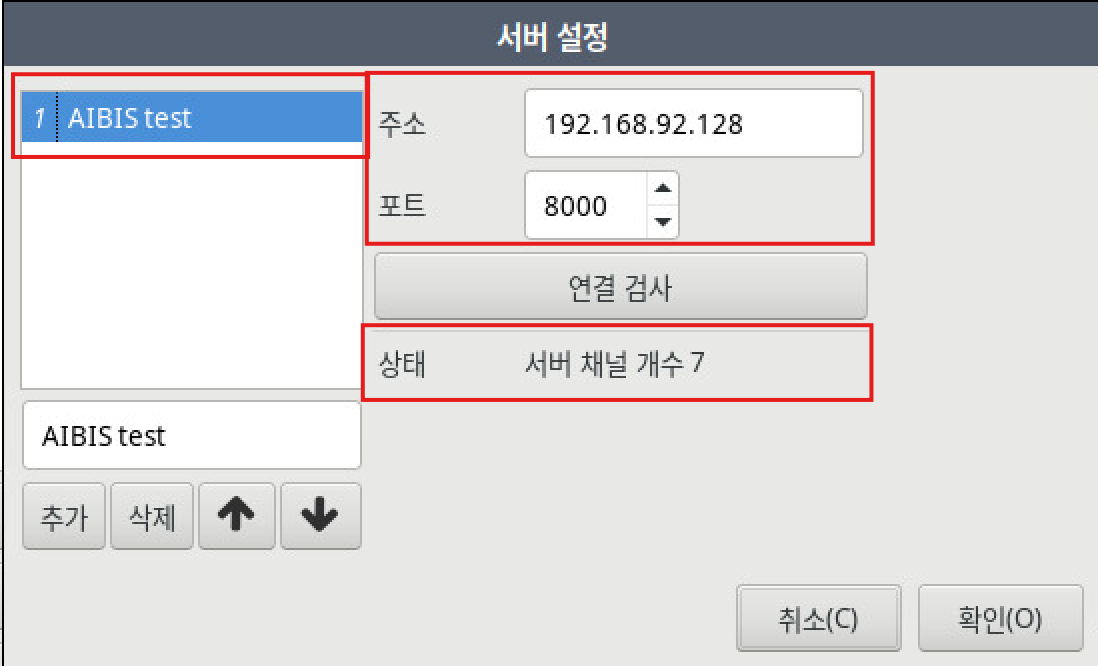
Enter the device name, IP address, and port.
The default port of the AIBIS server is '8000'.
After entering them, click Connection test; if the license count is displayed, registration was successful.
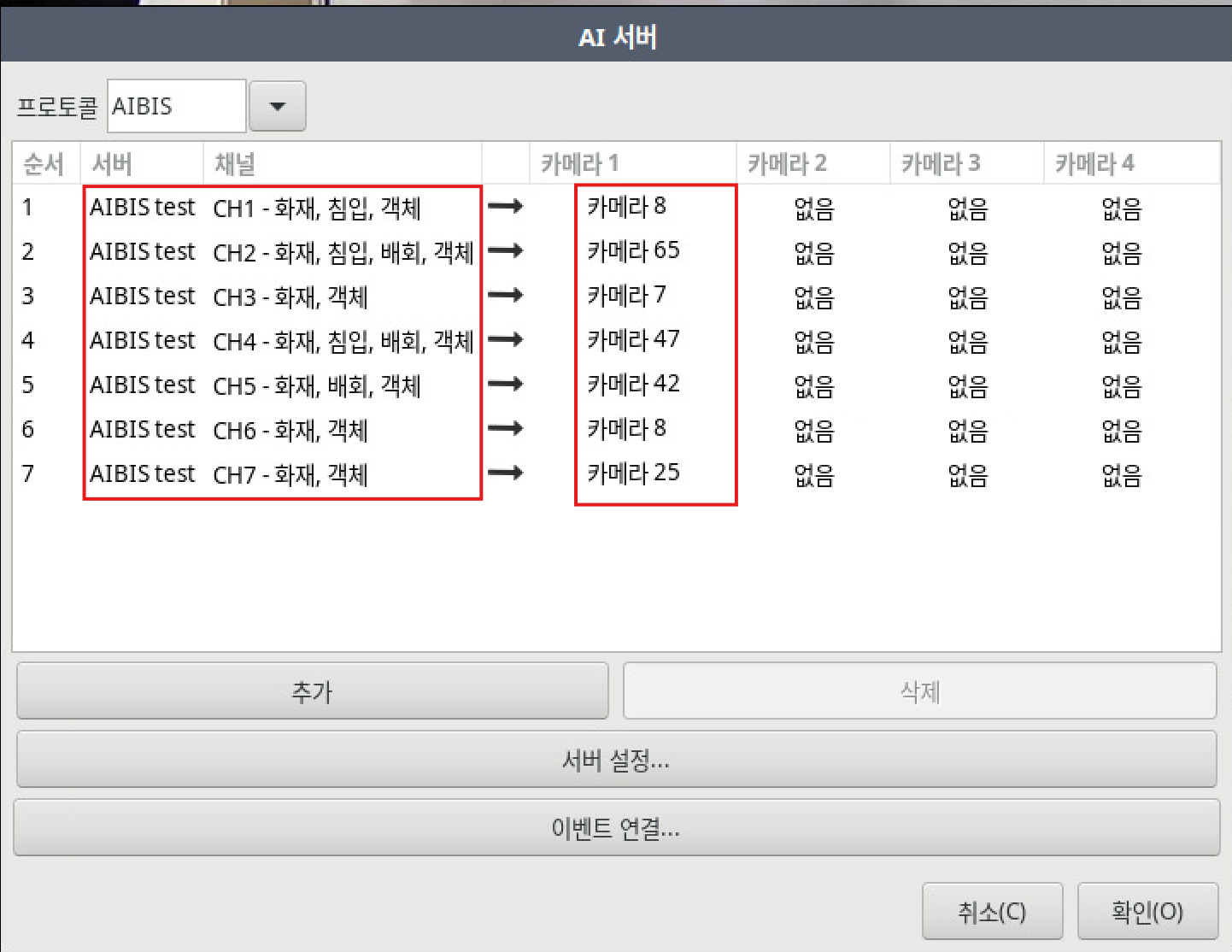
Event-setting information within the AIBIS server is displayed per channel,
and you assign the video of each device channel as needed.
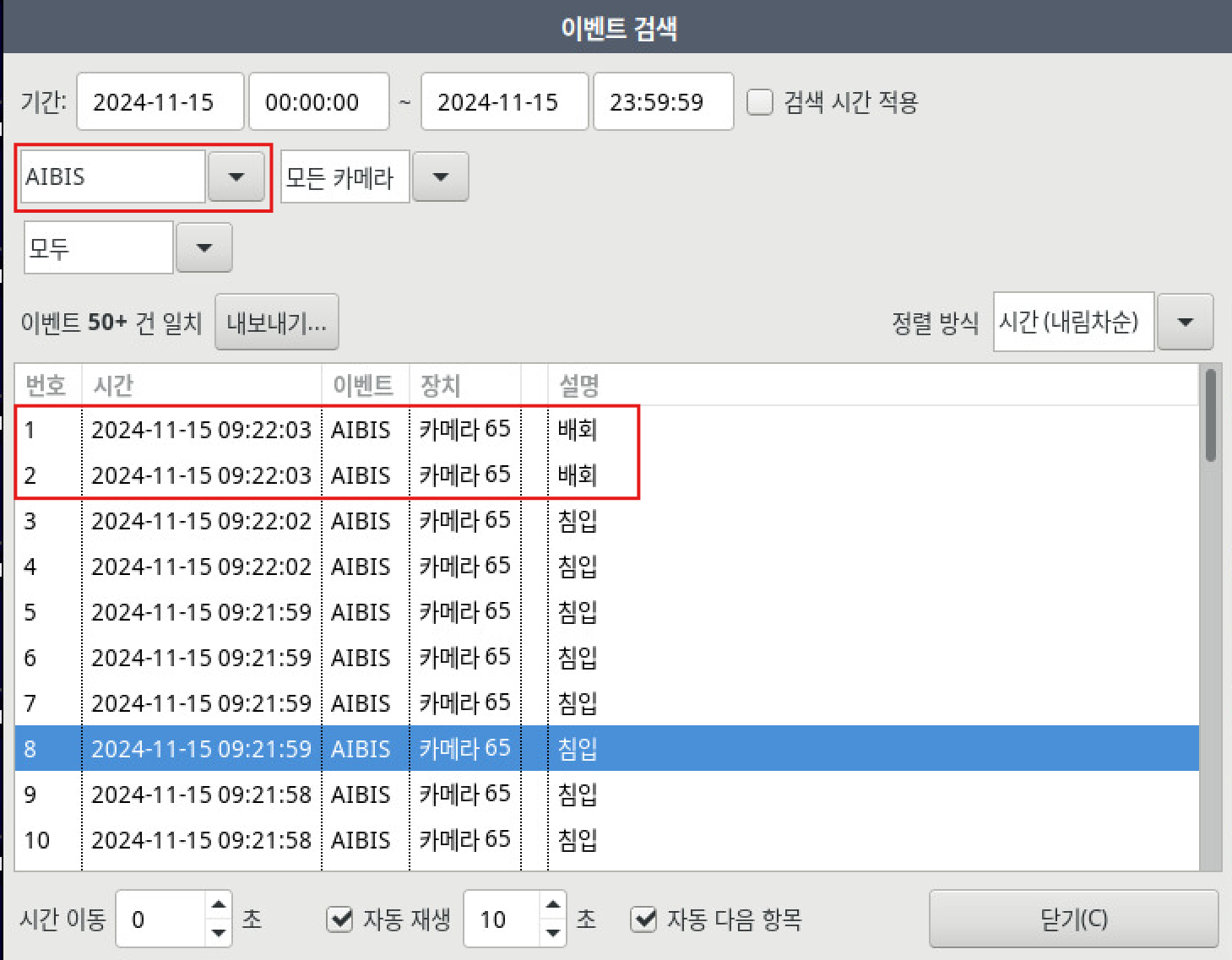
Select Search - Event - AIBIS to confirm that events are being received normally.