Fisheye camera dewarping on CMS
Preliminary task (enable the enhanced rendering engine)
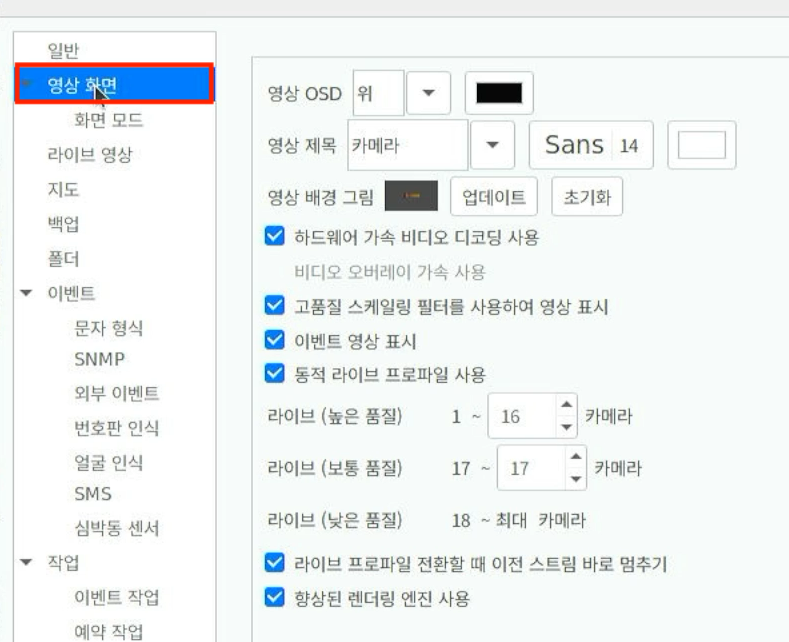
- After running CMS, press Settings, then click the Video screen at the top.
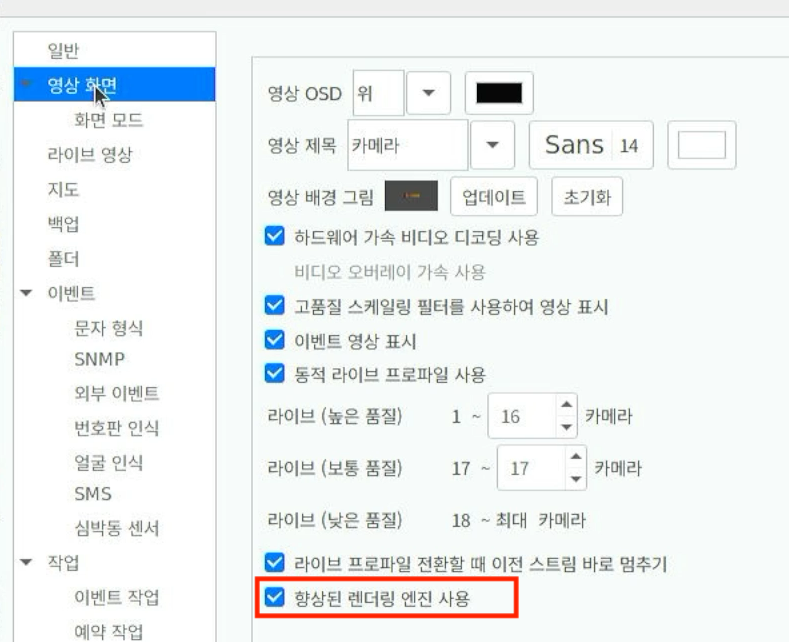
- Check Use enhanced rendering engine.
Dewarping a fisheye camera
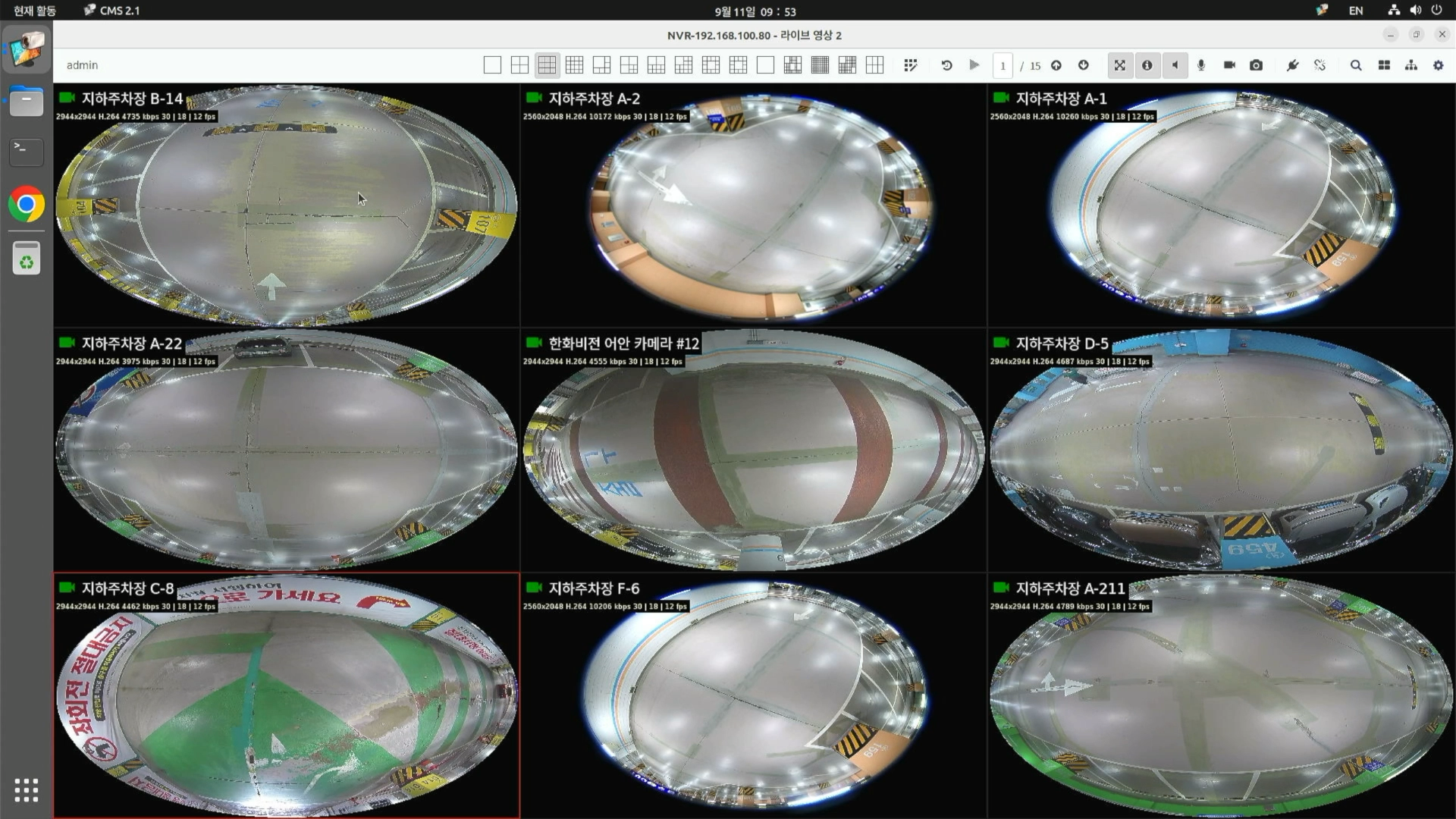
- In the live view, find the camera you want to dewarp.
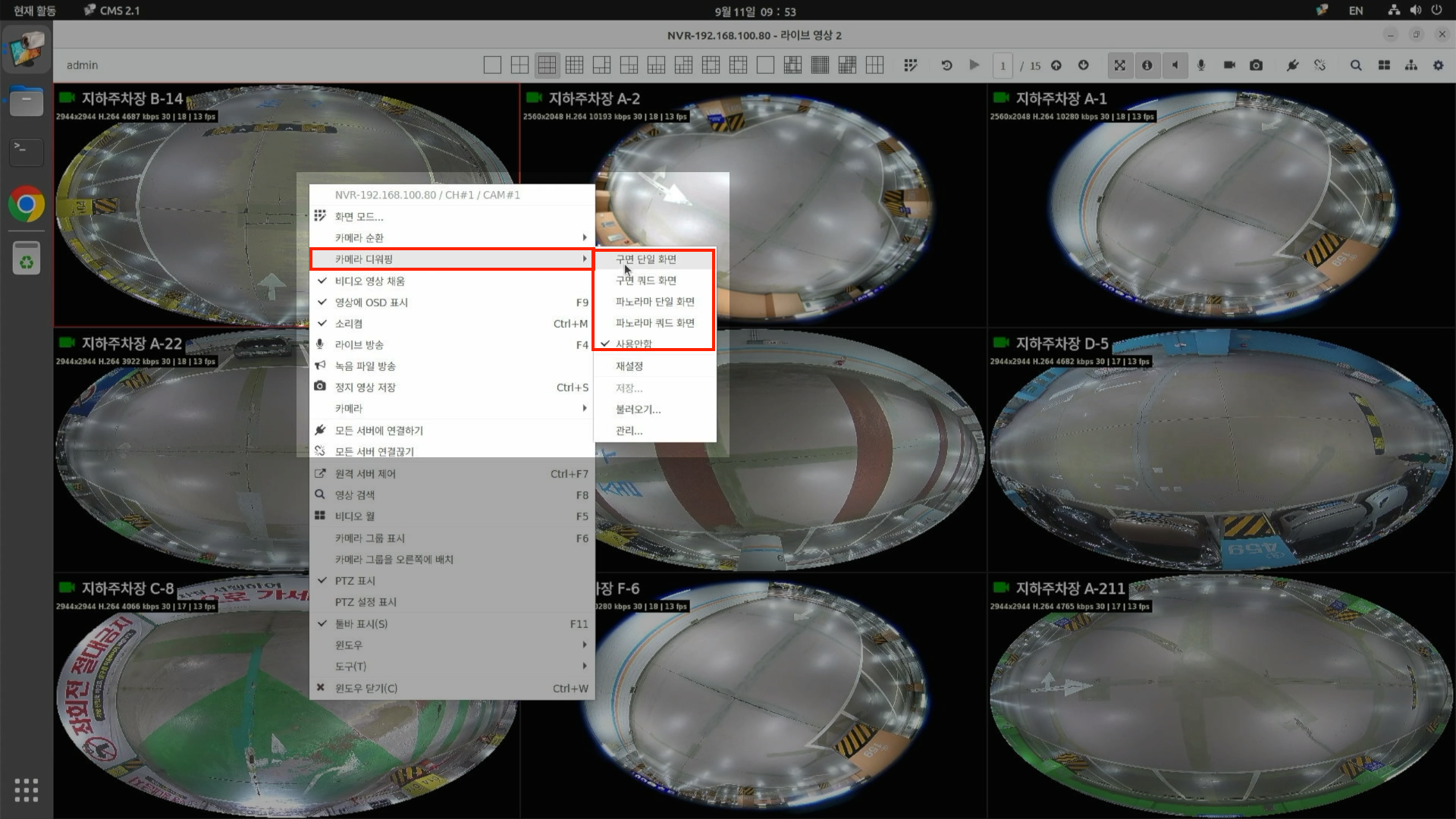
- Right-click on the camera - press Camera dewarping, then select the screen mode you want.
- After the setting, dragging the dewarped camera screen with the mouse lets you adjust the angle.
- It is also possible to send a dewarped camera to NDS.
- To modify the camera's angle on NDS, proceed with the following steps.
- Modify the angle in CMS
- Send the modified screen on the Video wall