SMS setup manual
Signing up and registering with an SMS transmission server provider
Signing up and registering with COOL SMS
Website: https://www.coolsms.co.kr/developer
Supported features
- Alimtalk/Chingutalk (automatic text transmission on Alimtalk failure, optional parameter support)
- Group messages (group registration/deletion/sending)
- REST API / SDK (C language)
Values required for transmission
- Issued API Key
- Recipient numbers (up to 1000)
- Sender number (registration completed)
- timestamp
- Message
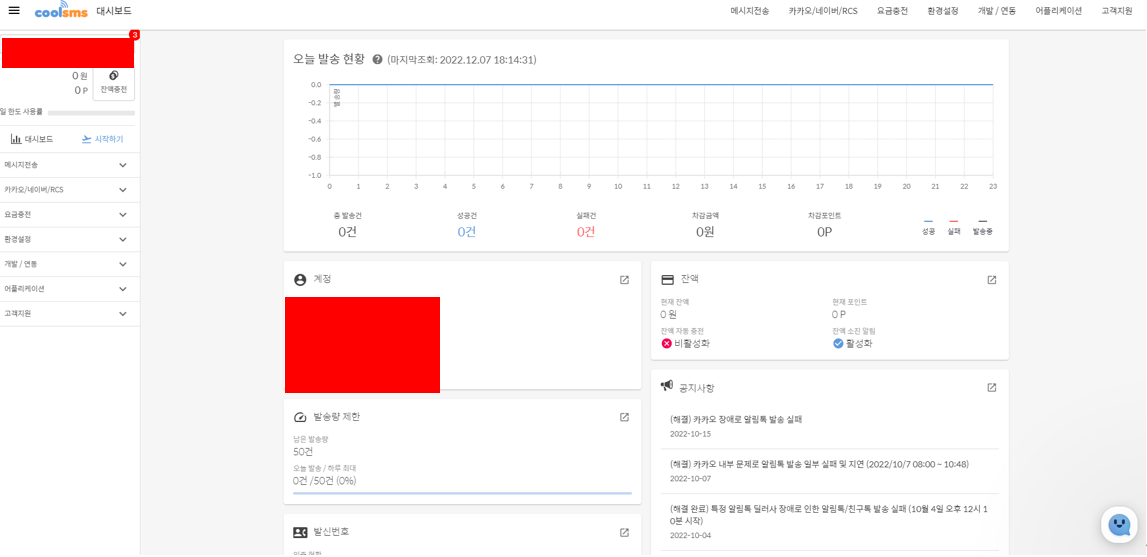
- Sender number / API KEY settings
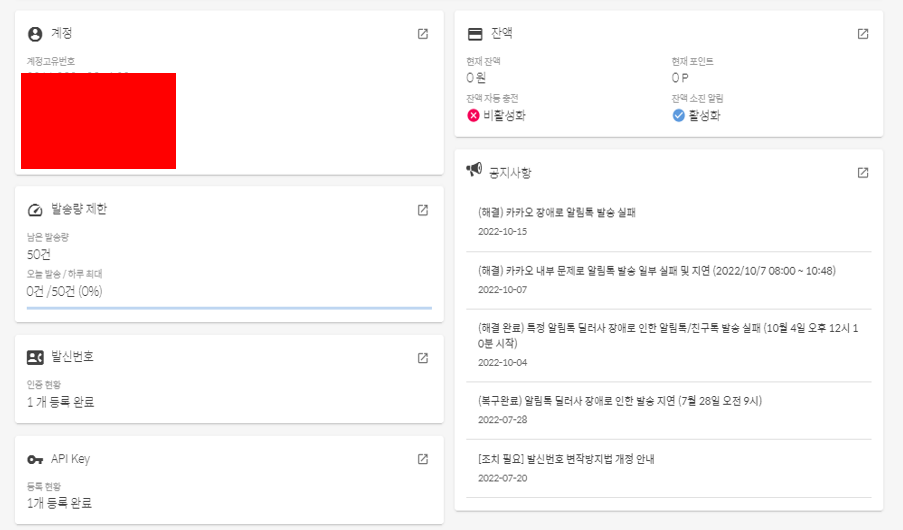
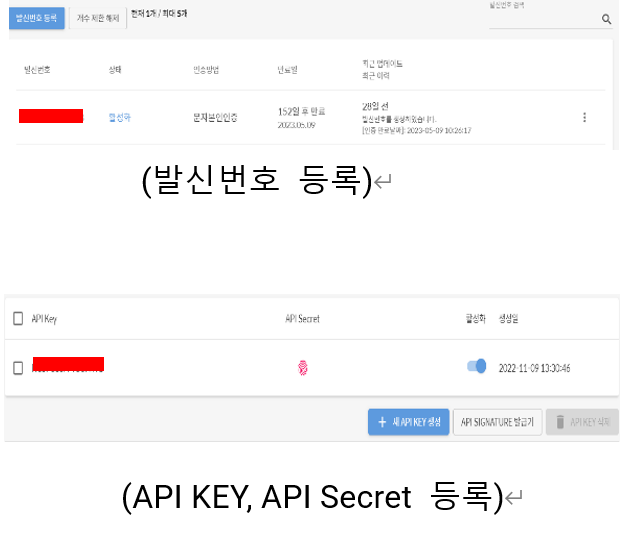
CMS SMS API settings and event registration
SMS API KEY, API Secret settings (Settings - Event - SMS)
SMS sending API integration via API KEY and API Secret registration
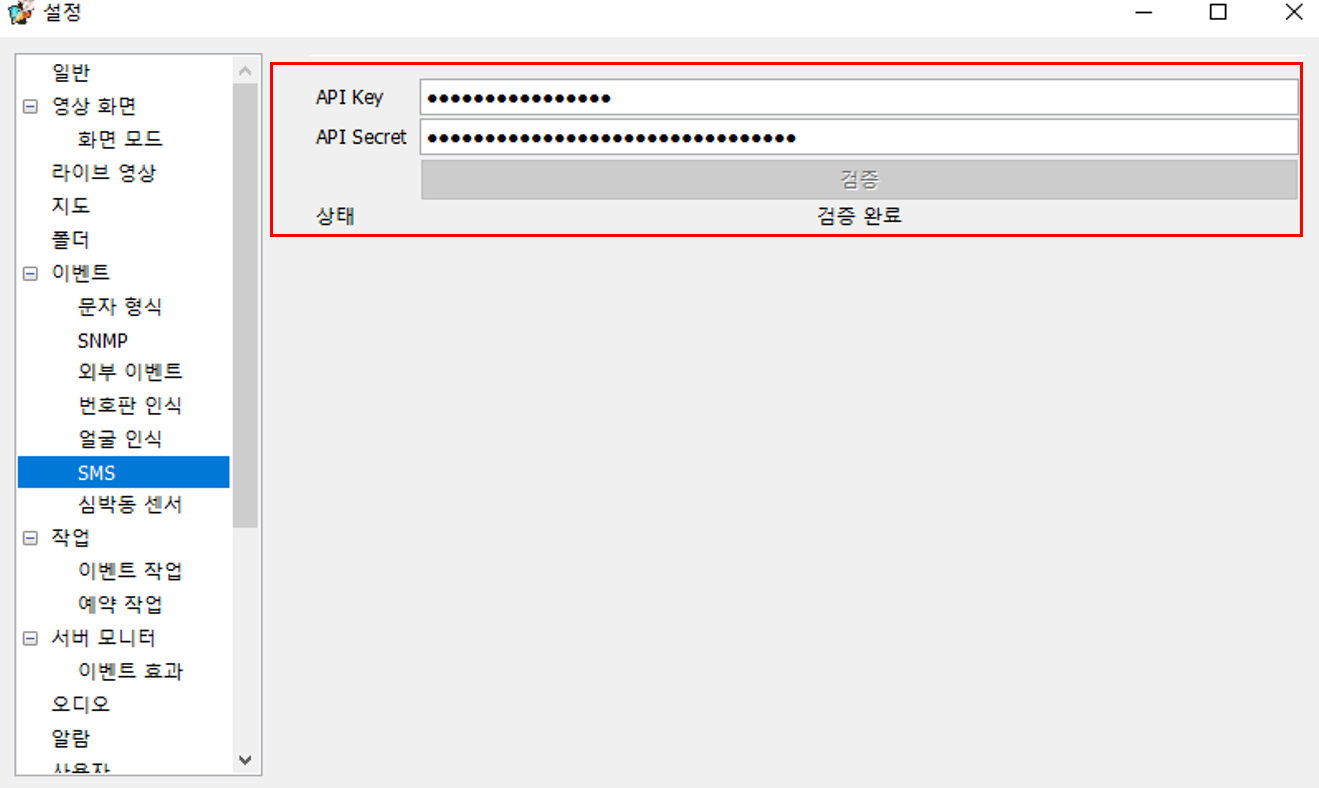
Settings -> Event -> enter the SMS API Key and API Secret, then check the 'Verified' status.
Job settings (Settings -> Job)
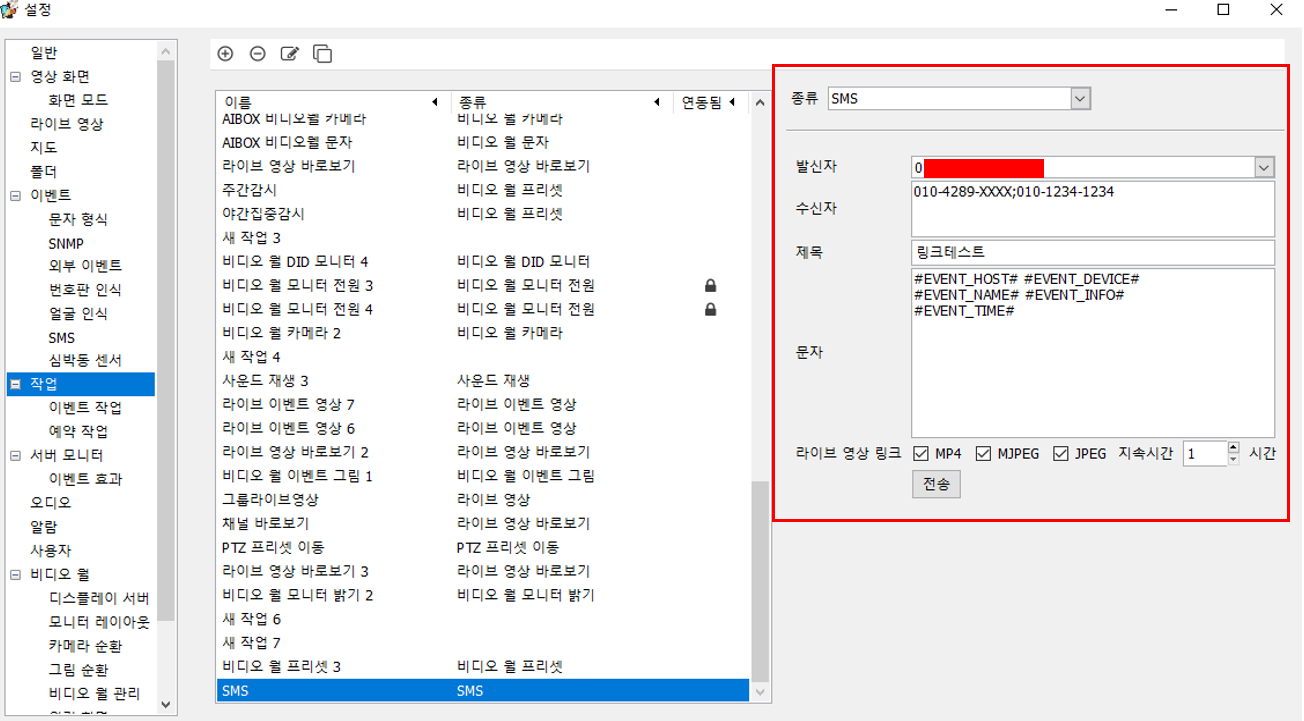
Settings -> Job
Event type: SMS
Sender: registered sender number (entered automatically when API KEY, Secret are linked)
Recipient: information of the recipients who will receive the text when an event occurs (separated by the ; symbol)
Subject: subject of the SMS text to send
Text:
#EVENT_HOST# : (NVR server name)
#EVENT_DEVICE# : (event channel name)
#EVENT_NAME# : (event type)
#EVENT_INFO# : (event information)
#EVENT_TIME# : (event occurrence time)
Live video link: set MP4 (video), MJPEG, JPEG (image), and duration (how long that video-info link stays valid)
Event job (Settings -> Job -> Event job) 
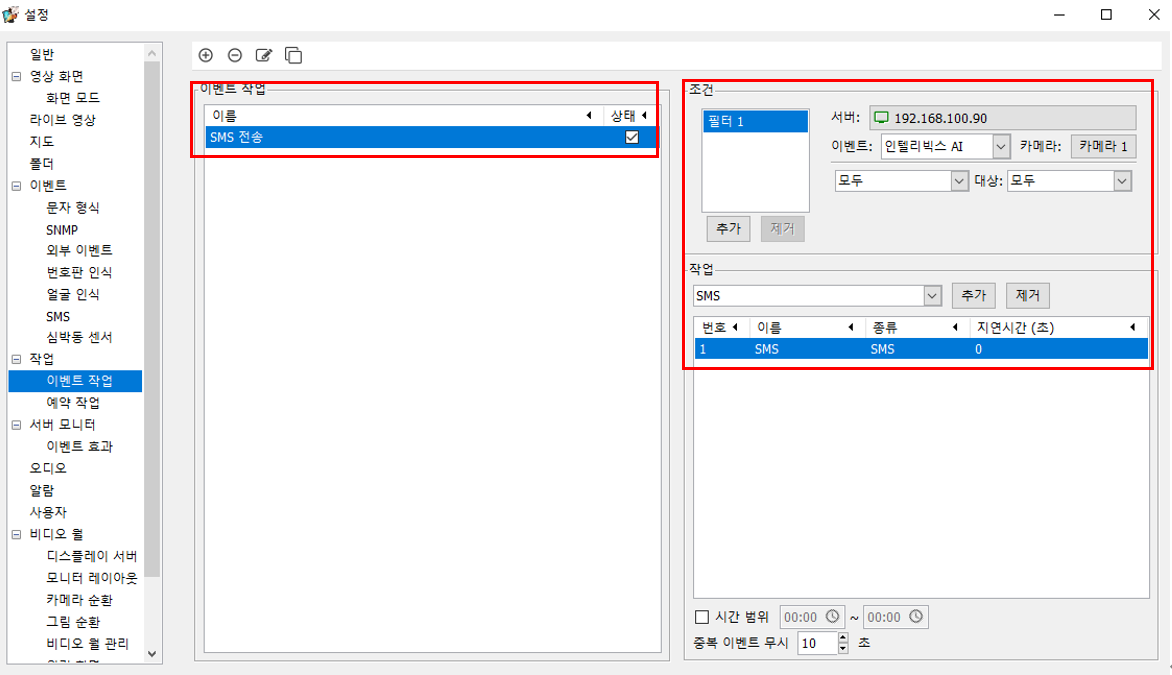
Settings -> Job -> Event job
Add, delete, edit, duplicate event jobs
Event job: name setting and operation status; add, delete, edit, duplicate event jobs
Condition: select the event-source server, event type, event-source camera, event type, and target
Job: add the "SMS" job set in Jobs
Time range: set the operation time range
Ignore duplicate events: set the time to ignore duplicate events
Using a public address for the SMS video reception link 
Server registration and public-address use settings (Server management -> Edit server -> Public address …) 
Create a public IP (DDNS) address link accessible from an external LTE network
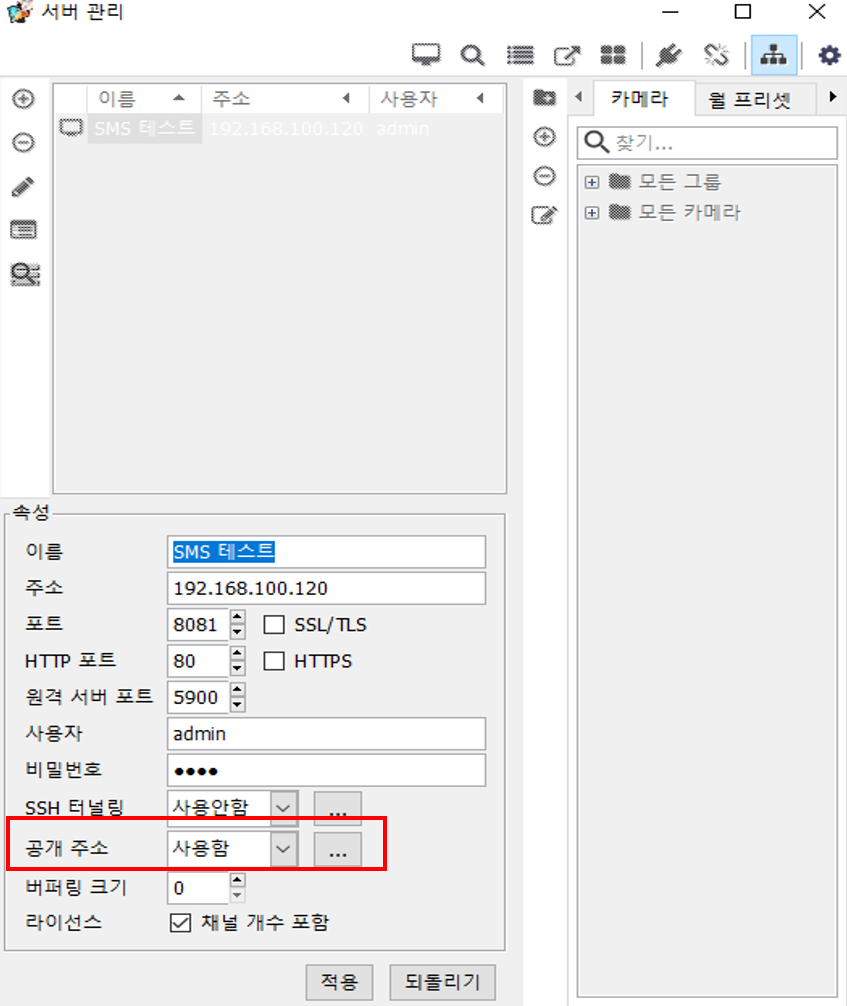
Server management (F2) -> Edit server -> Public address -> ...
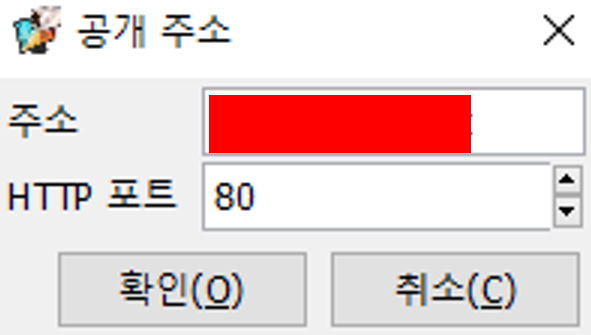
Public address, HTTP connection port settings
SMS reception and duplicate-event settings
SMS reception information (Settings -> Job -> SMS) 
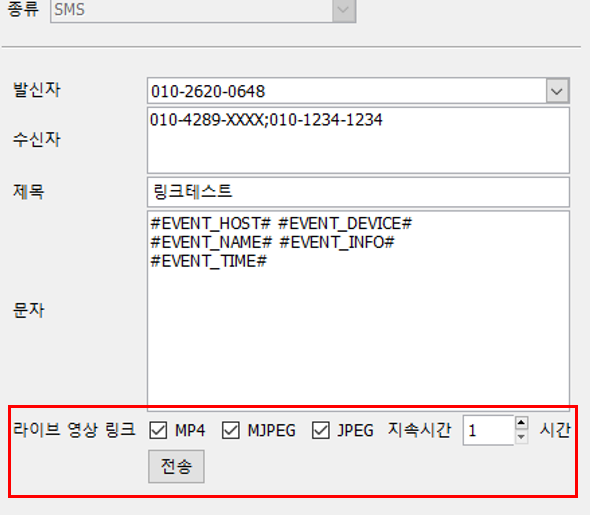
Settings -> Job -> SMS
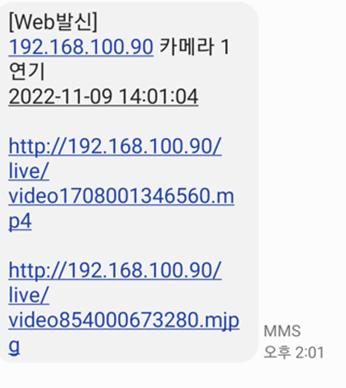
Actual received message
Live video link: MP4 (video) http://domain(public address)/live/video(filename).mp4
Real-time live video link
MJPEG, JPEG (image) http://domain(public address)/live/video(filename).mjpeg
Image link for that event occurrence
Duration (how long that video link stays valid) setting
Duration (how long that video-info link stays valid) setting
The link is deleted after the set time passes
* Link maintained for up to 24 hours
Ignore duplicate SMS events (Settings - Job - SMS)
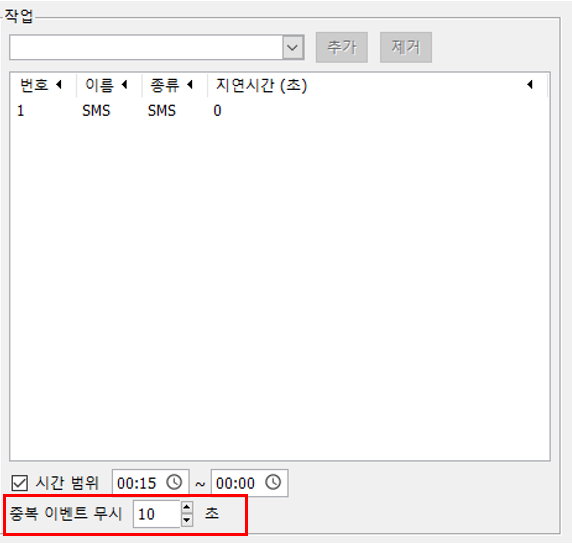
Duplicate event job ignore time
(Duplicate event ignore time)* When sending SMS, if duplicate events keep occurring, the same event is set not to be triggered for the specified time.