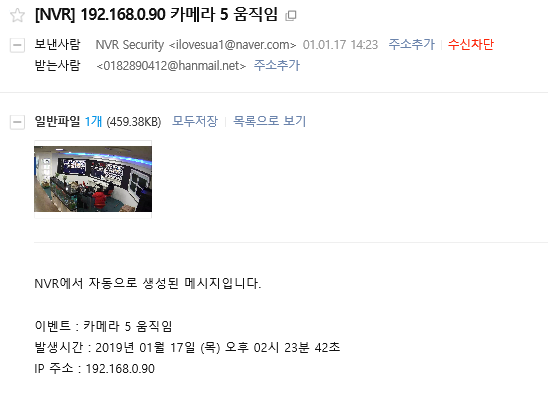
SMTP mail server integration
Definition and requirements
- When an NVR event occurs, the event information is sent externally by email.
- Requirement: SMTP (Simple Mail Transfer Protocol) settings (enable SMTP on an external mail server account)
Enabling SMTP MAIL
Enabling SMTP (based on Naver)
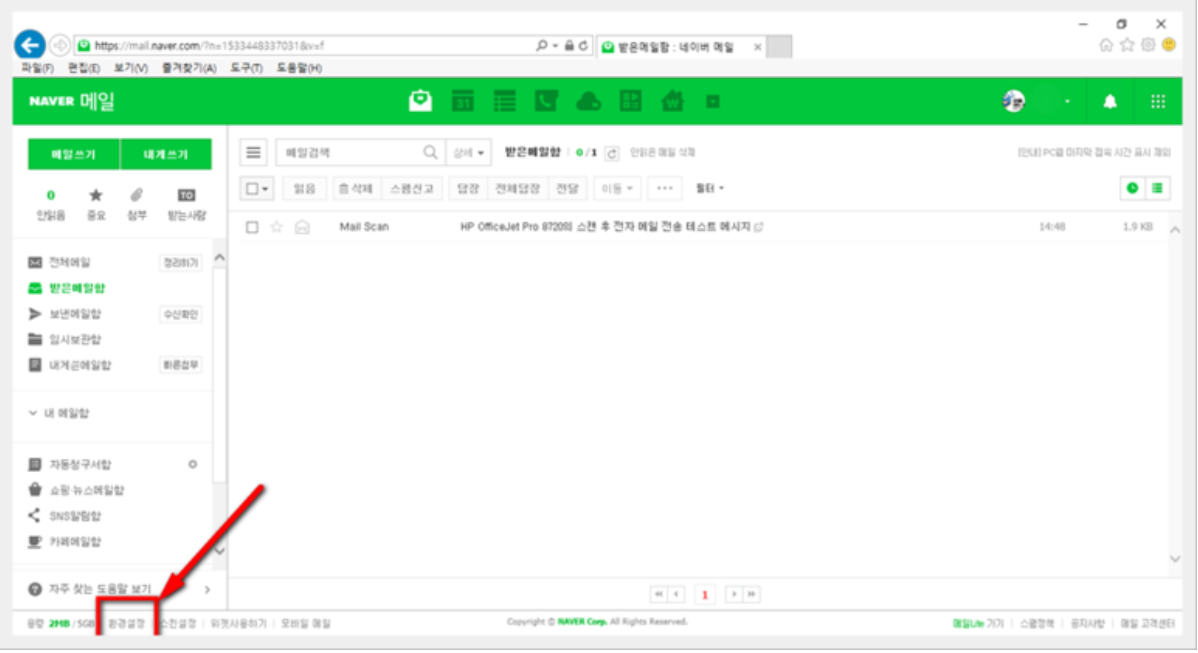
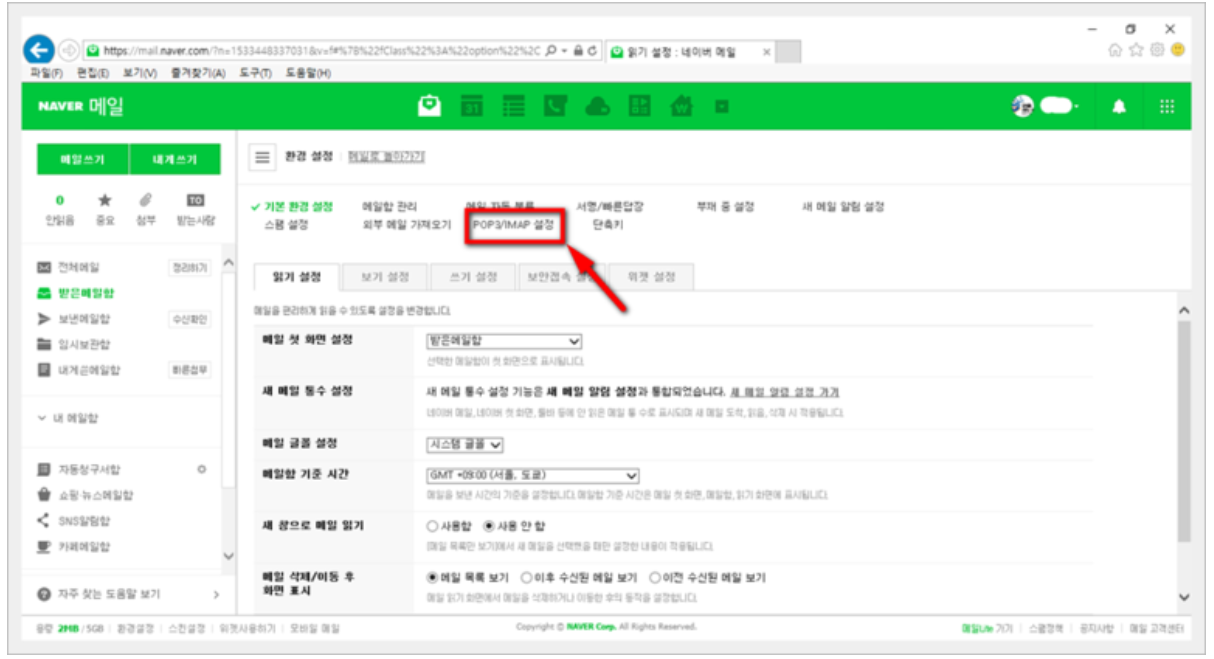
POP3 / IMAP settings at the top of the mail settings (Preferences)
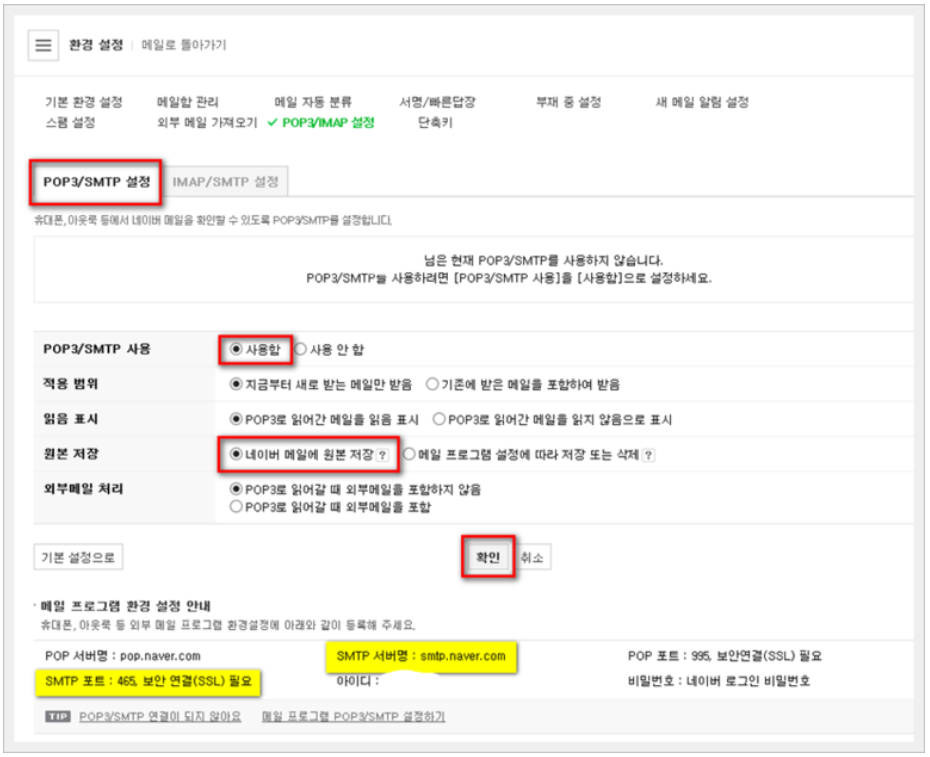
When using POP/SMTP
SMTP server name: smtp.naver.com
SMTP port: 465 secure connection (SSL)
When using IMAP/SMTP
SMTP server name: smtp.naver.com
SMTP port: 587 secure connection (TLS)
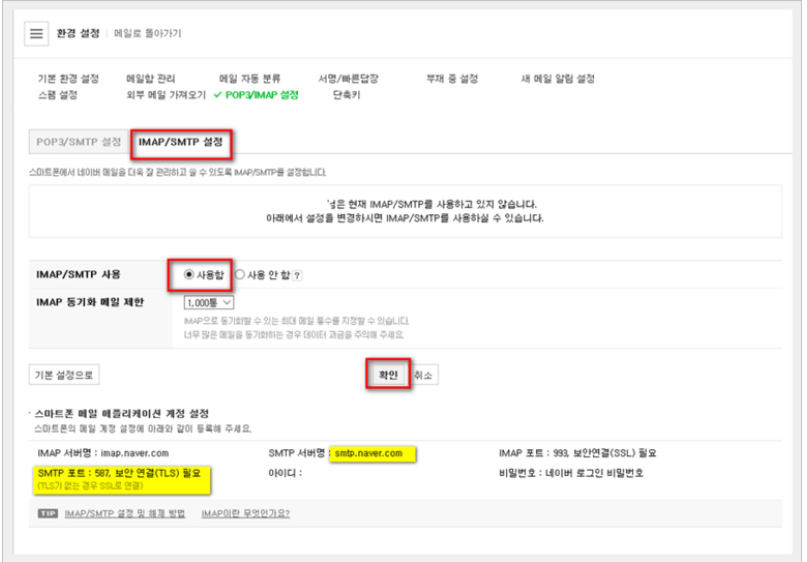
NVR mail server settings
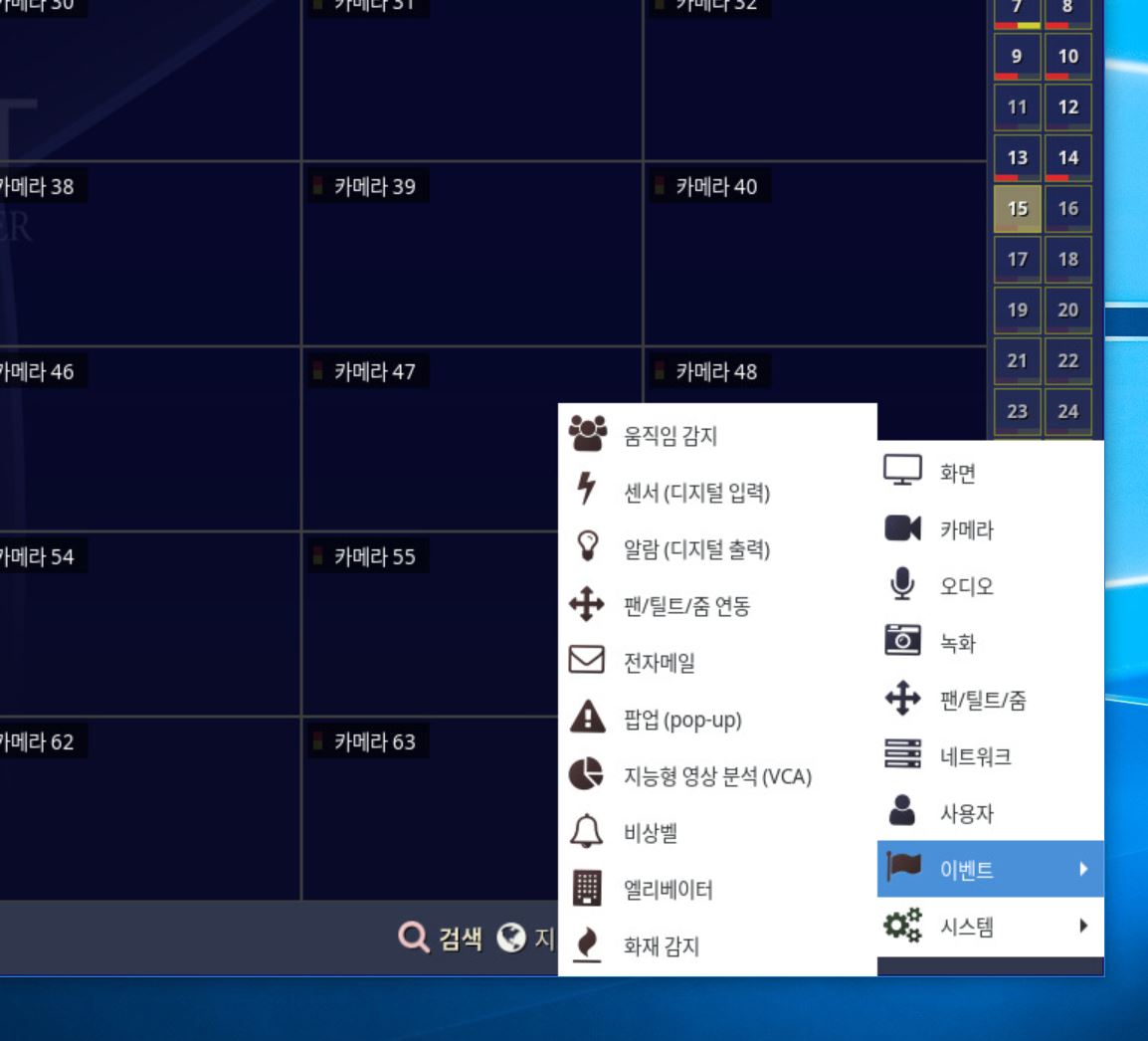
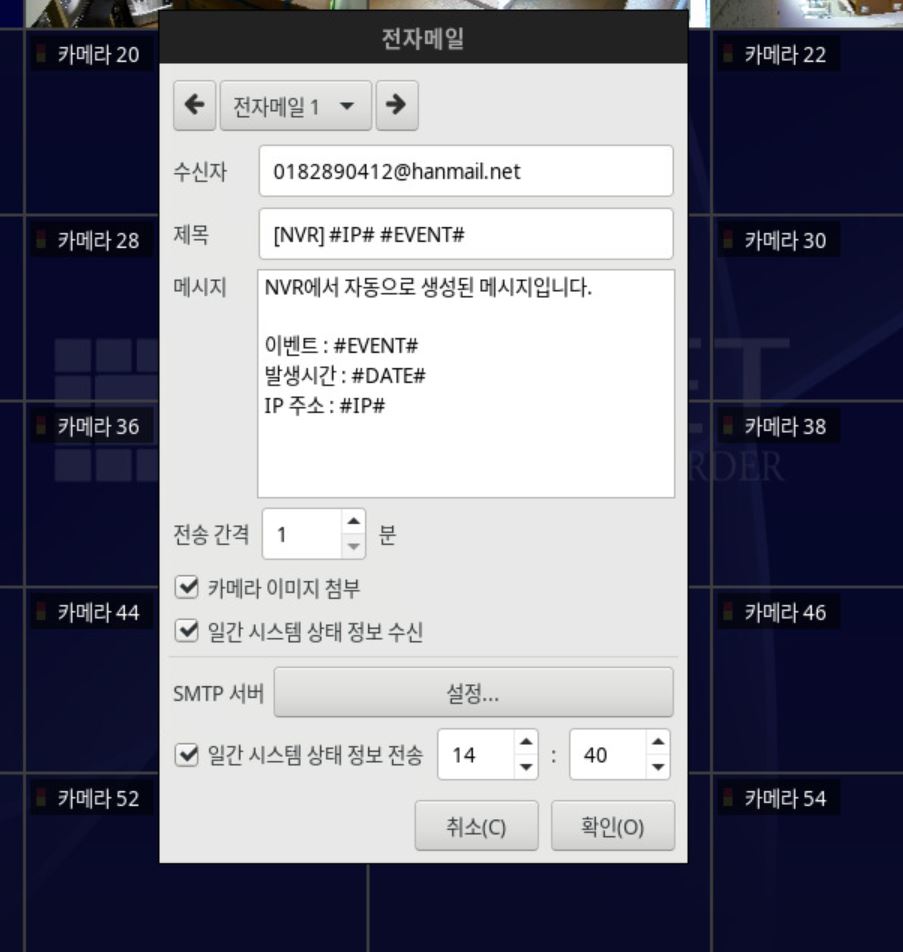
1. Recipient
- The mail address that receives the event notification mail
2. Options
- Sending interval (in minutes)
- Attach camera image
- Receive daily system status information
- Send daily system status information
3. SMTP server settings
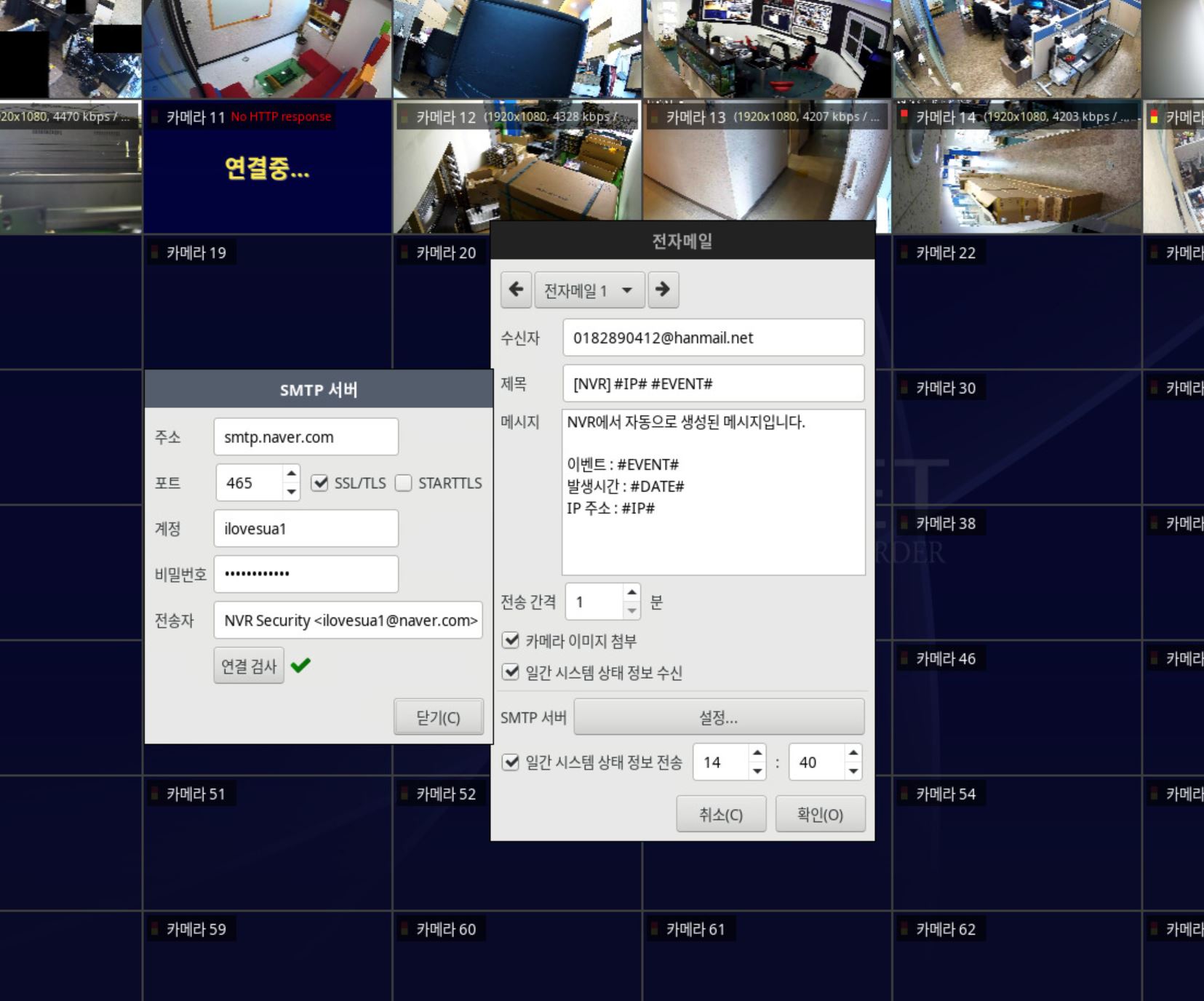
Address: SMTP email address, Naver smtp.naver.com
Port: 465, check SSL/TLS
Account: enter the mail server ID
Password: enter the mail password
Sender: entered automatically
Connection test: mail sending test
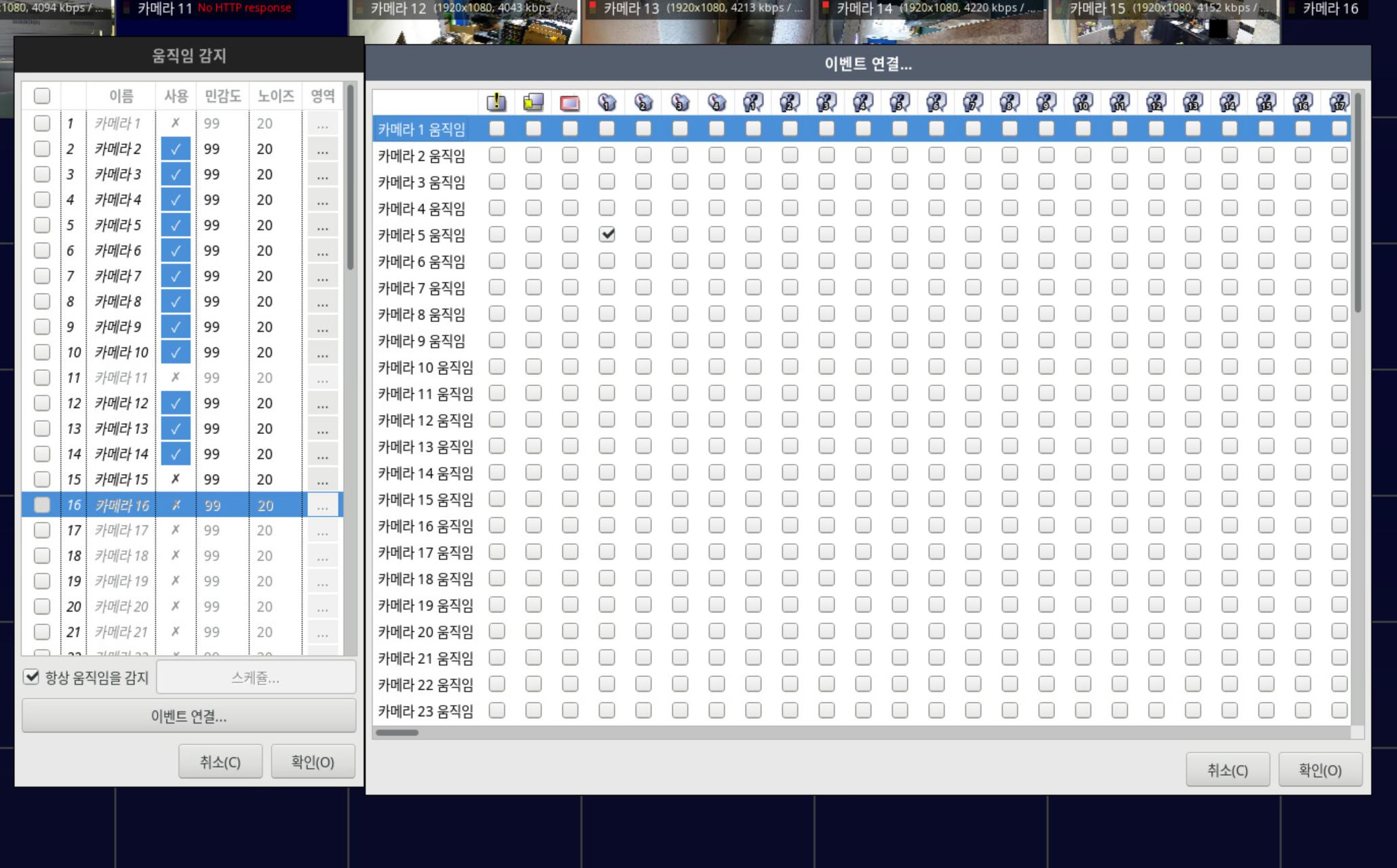
Event linking
Received mail